
Mogelijkheden AEM TestPro CV100
Koper Twisted Pair
Koper Certificatie Autotest
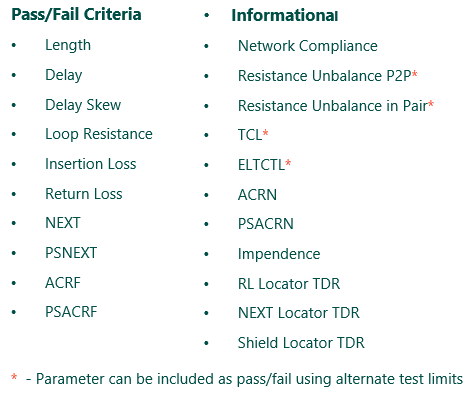
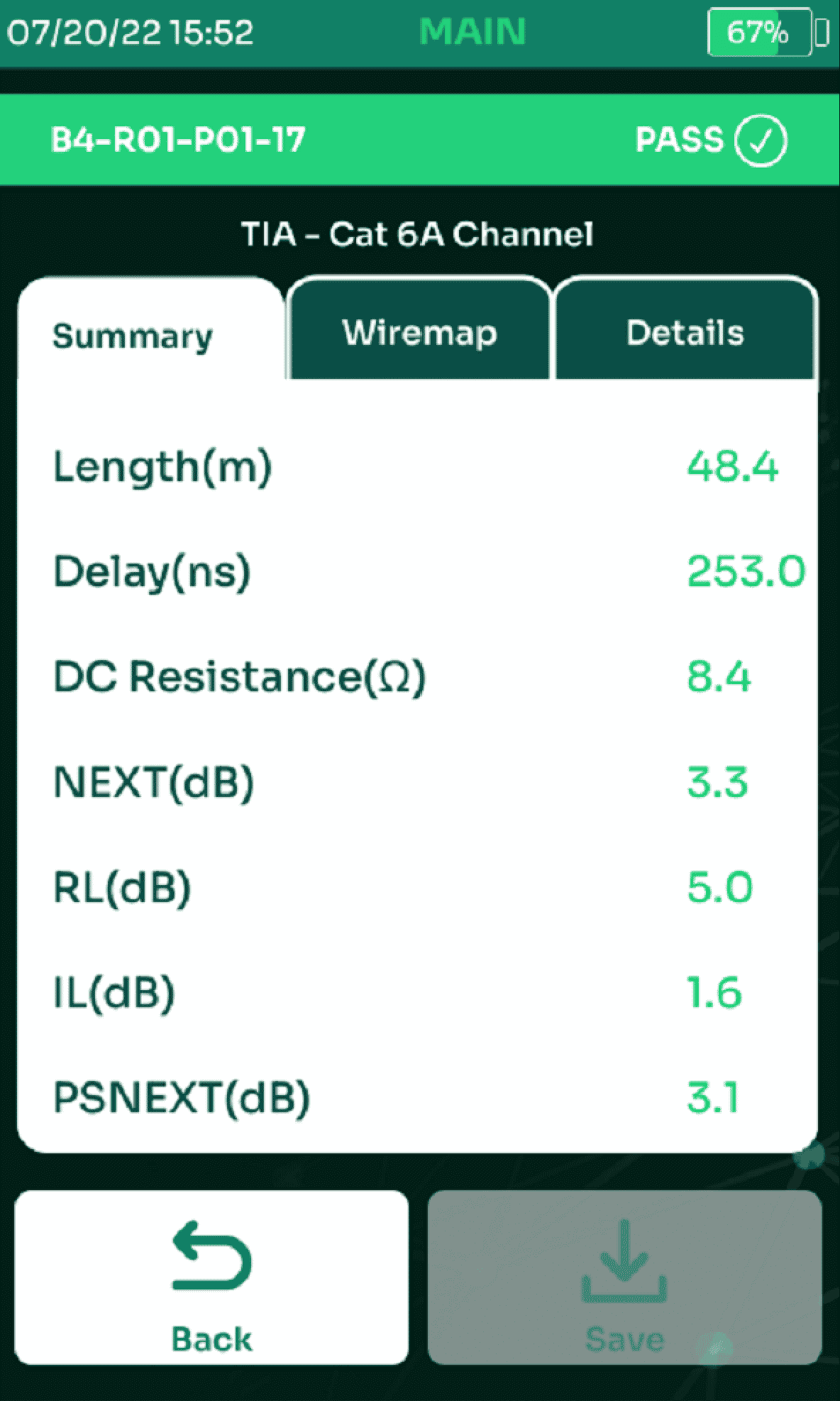
TestPro’s certifier Autotest is a one-button operation that performs all tests required for TIA/ISO standards compliance, in addition to other parameters such as DC Resistance Unbalance, TCL, and ELTCTL. TestPro comprehensive DC measurements include both pair-to-pair and wire-to-wire resistance unbalance tests. The Autotest also reports distance-to-fault on Shield Discontinuity, NEXT and Return Loss time-domain measurements.
Autotest results are saved to memory and can be transferred to the included TestDataPro results management software or TestDataPro Cloud for collaboration, documentation and reporting.
TestPro supports CAT5e – CAT8 out of the box for both Channel and Permanent link. CAT6A Patch Cord Adapter included in some Smart Building Test kits to support out of the box MPTL testing. CAT5e and CAT6 Patch Cord Adapters are available for purchase.
Single-Pair Ethernet
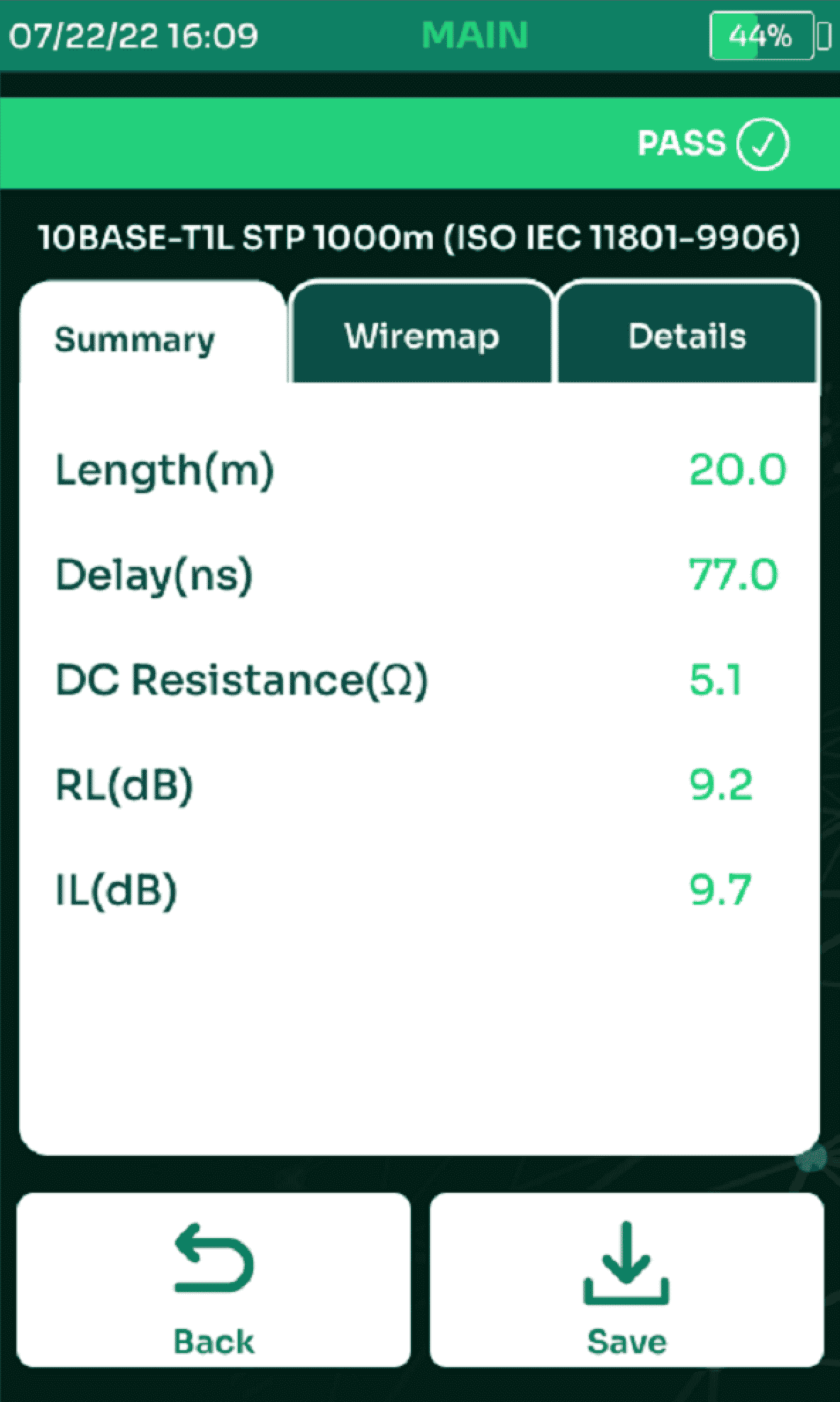
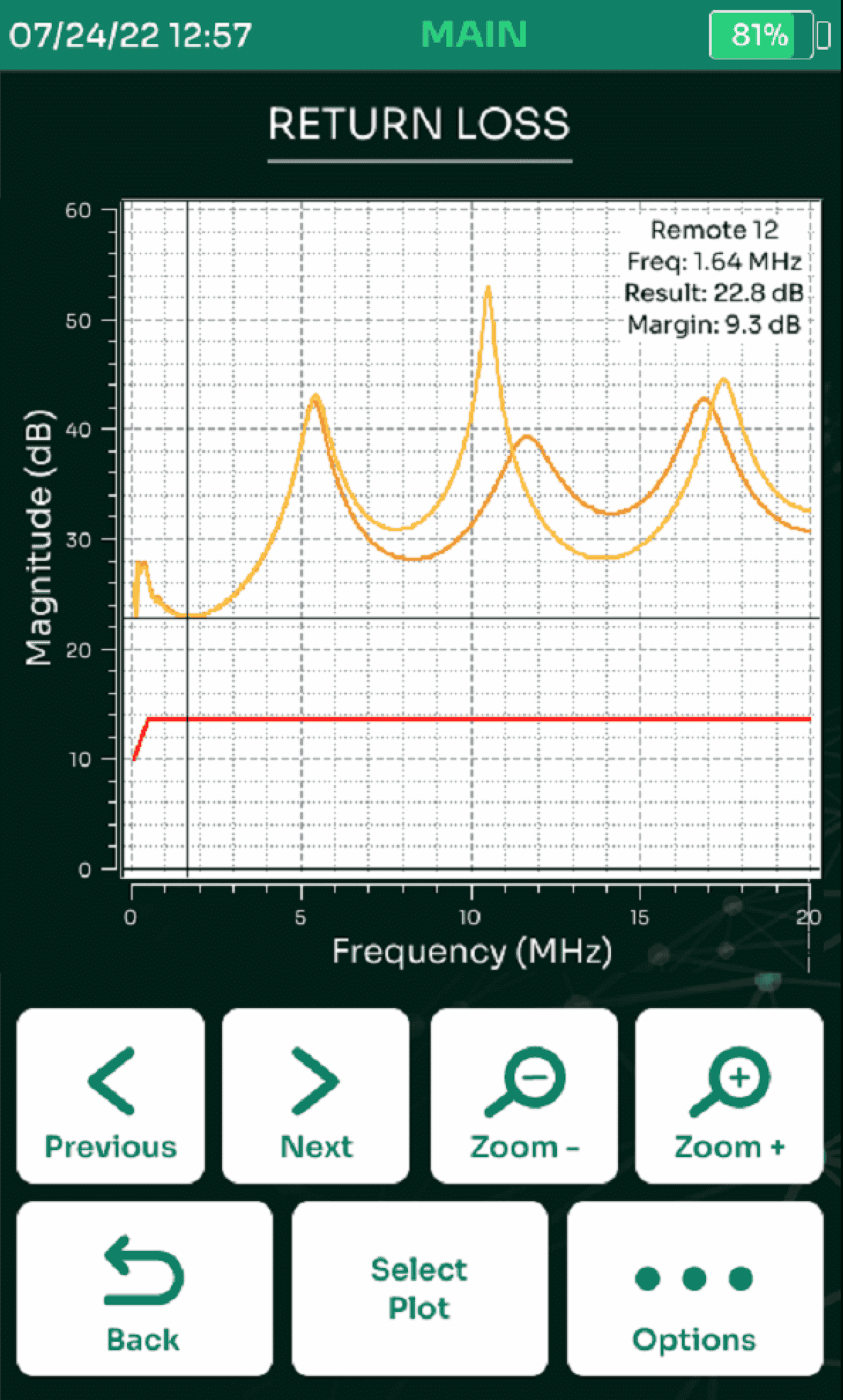
The use of Single-Pair Ethernet (SPE) is growing fast for connecting IoT sensors and other devices. TestPro is the first and the only cable certifier enabling testing of Single-pair Ethernet systems. TestPro also allows specifying limits for SPE based on TIA 568.5 SPE standard, and IEEE 10BASE-T1L specifications.
TestPro performs SPE certification testing fully compliant with tester requirements outlined in TIA 5071. The SPE certification test includes:
- Dual-ended testing with test frequency range from 100kHz to 20MHz and step size of 20kHz
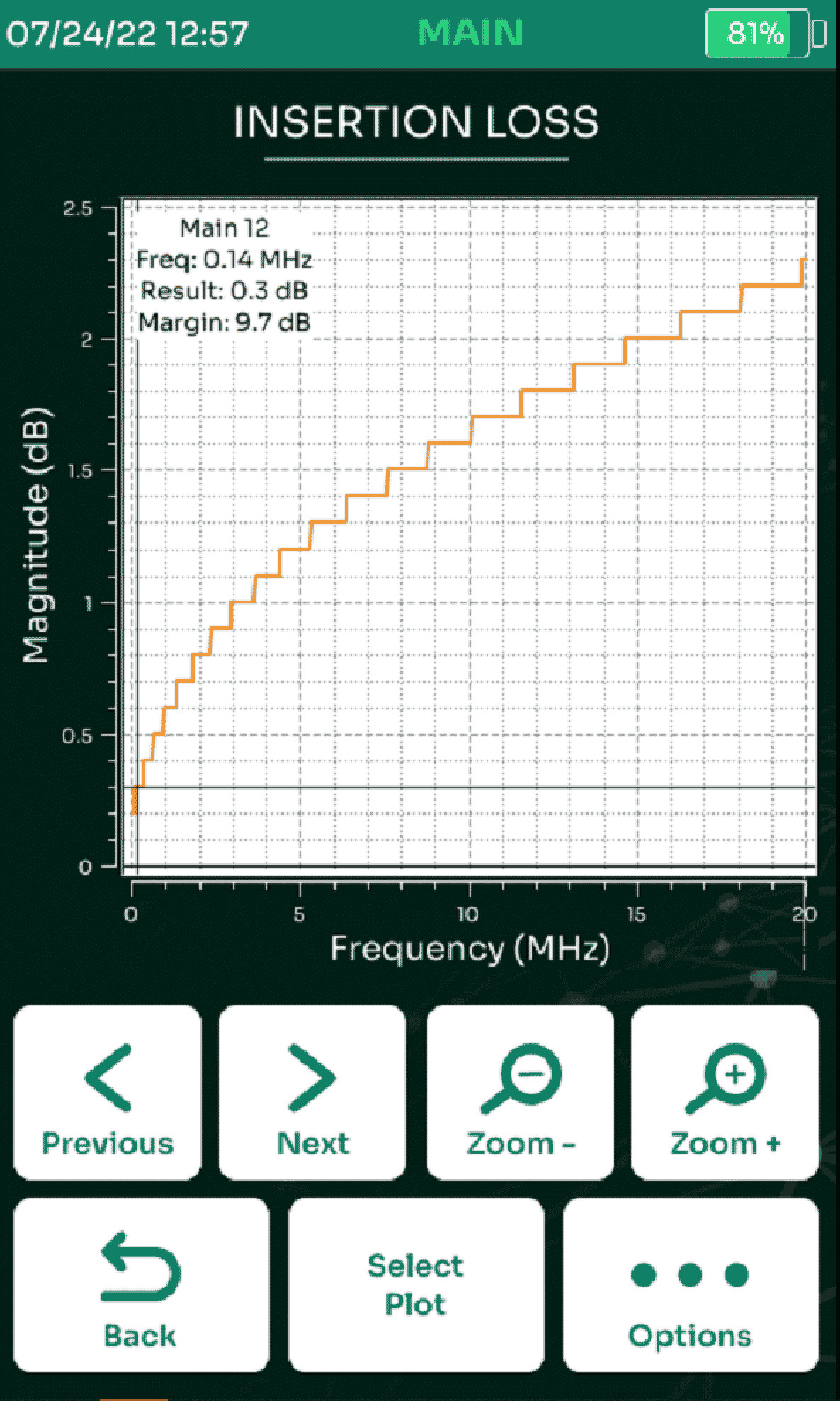
- Wiremap, DC Resistance, Return Loss, Insertion Loss and optionally TCL
- Length (up to 1,500m) and delay measurement
- Provides a PASS/FAIL result; detailed test results can be saved, viewed, and converted to pdf with the convenient TestData Pro software
Currently available test adapters include 63171.1 (also known as LC), 63171.6, breakout adapter for GG45, TE MATENet, Rosenberger, and many varients of automotive SPE test adapters.
Live Wiremap
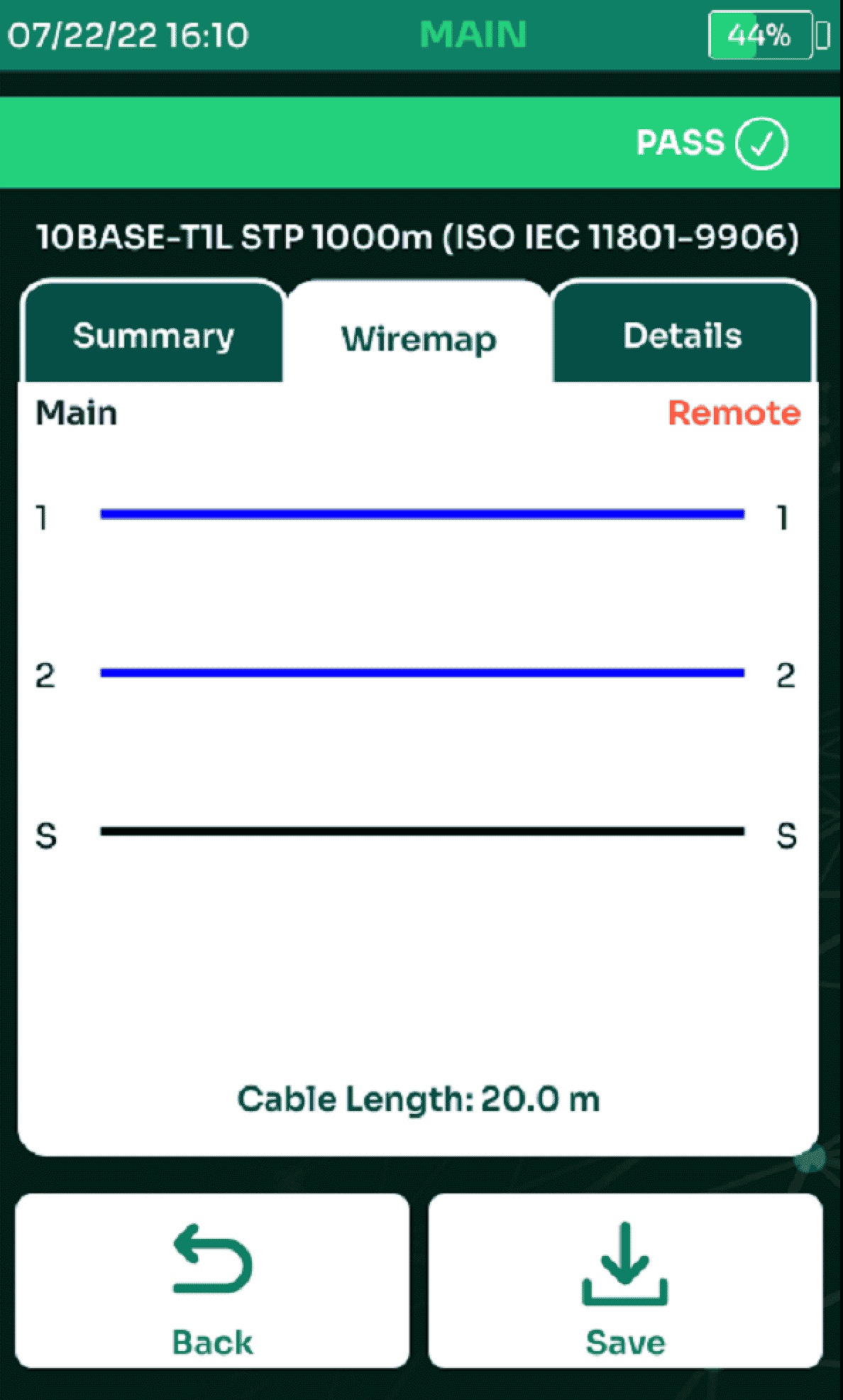
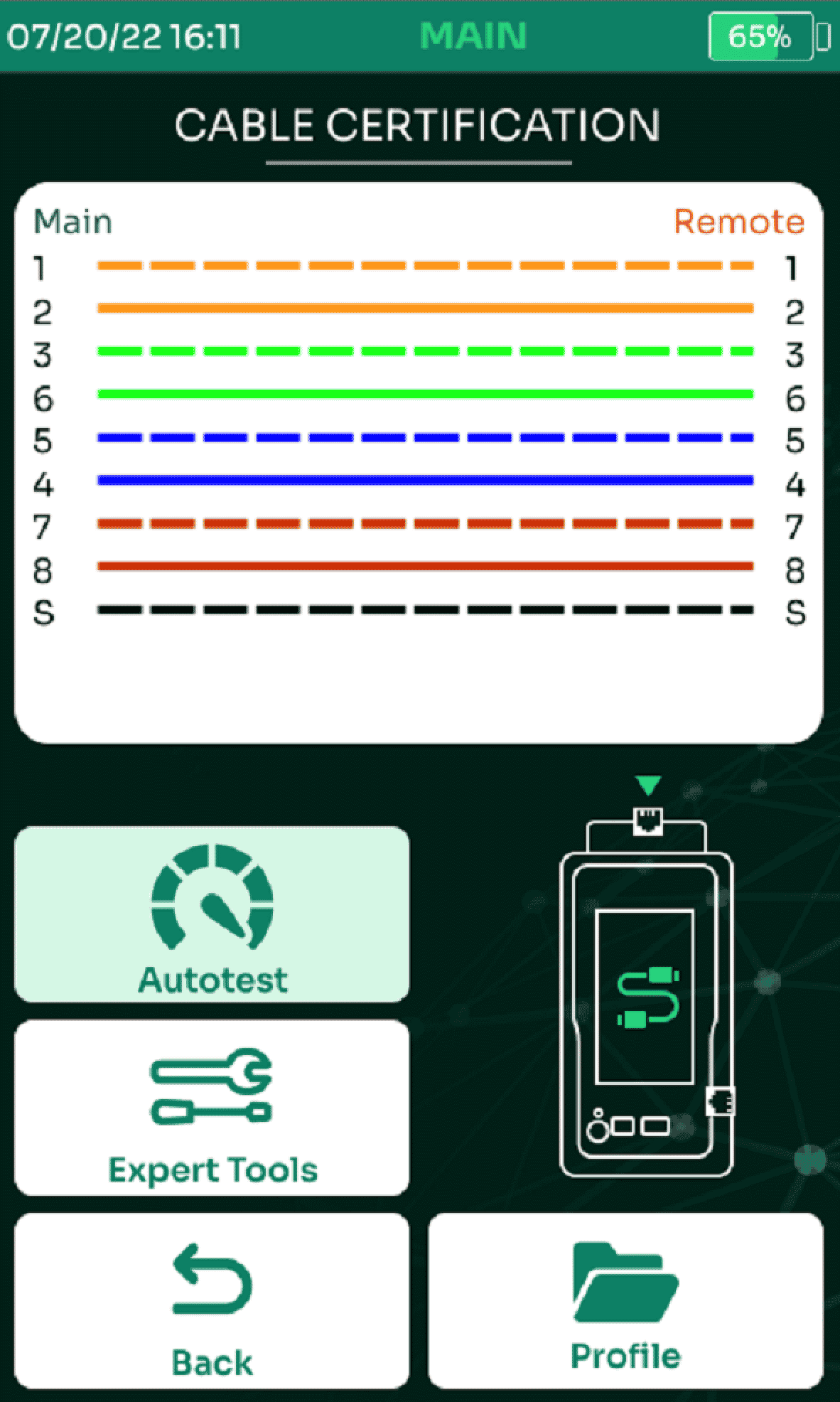
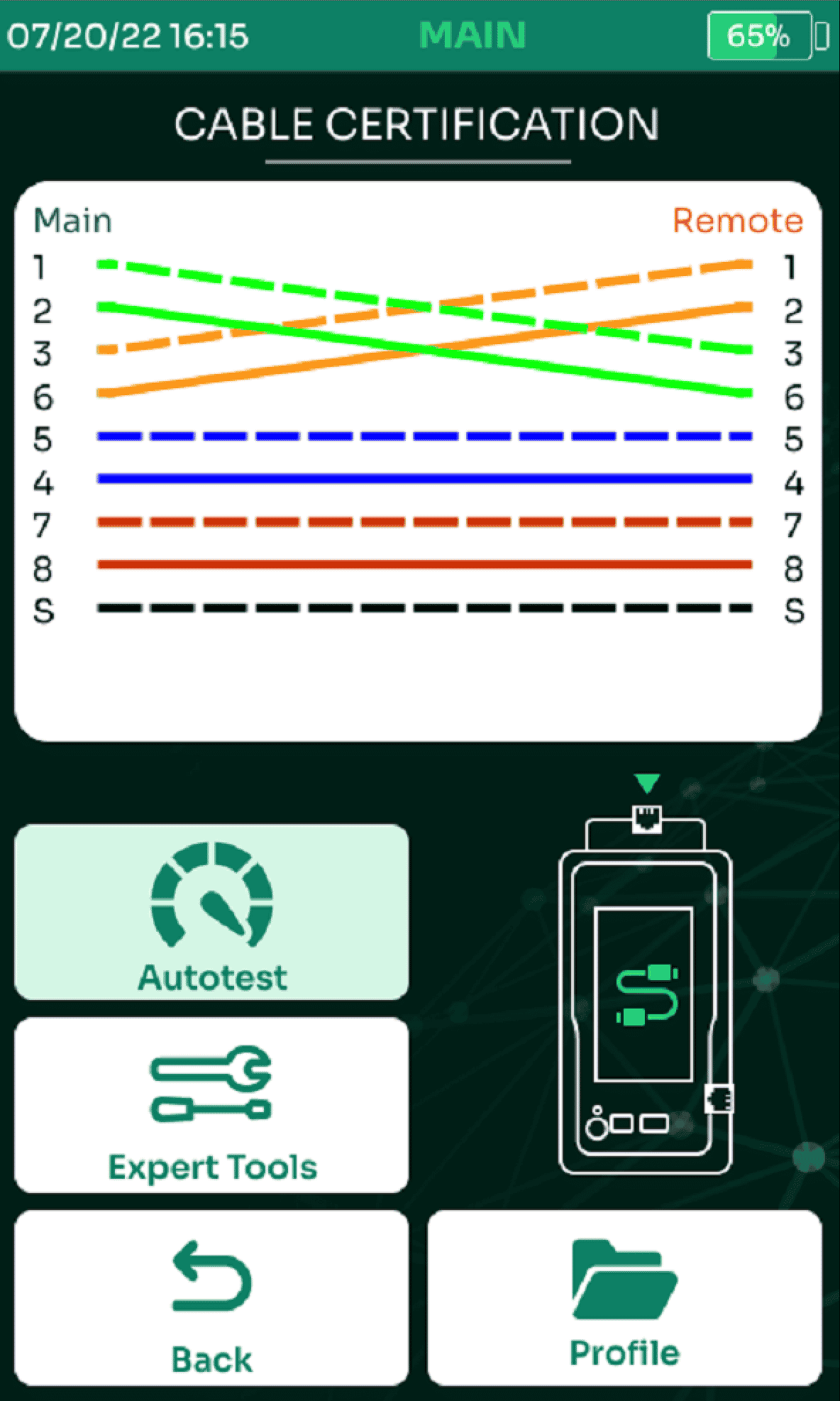
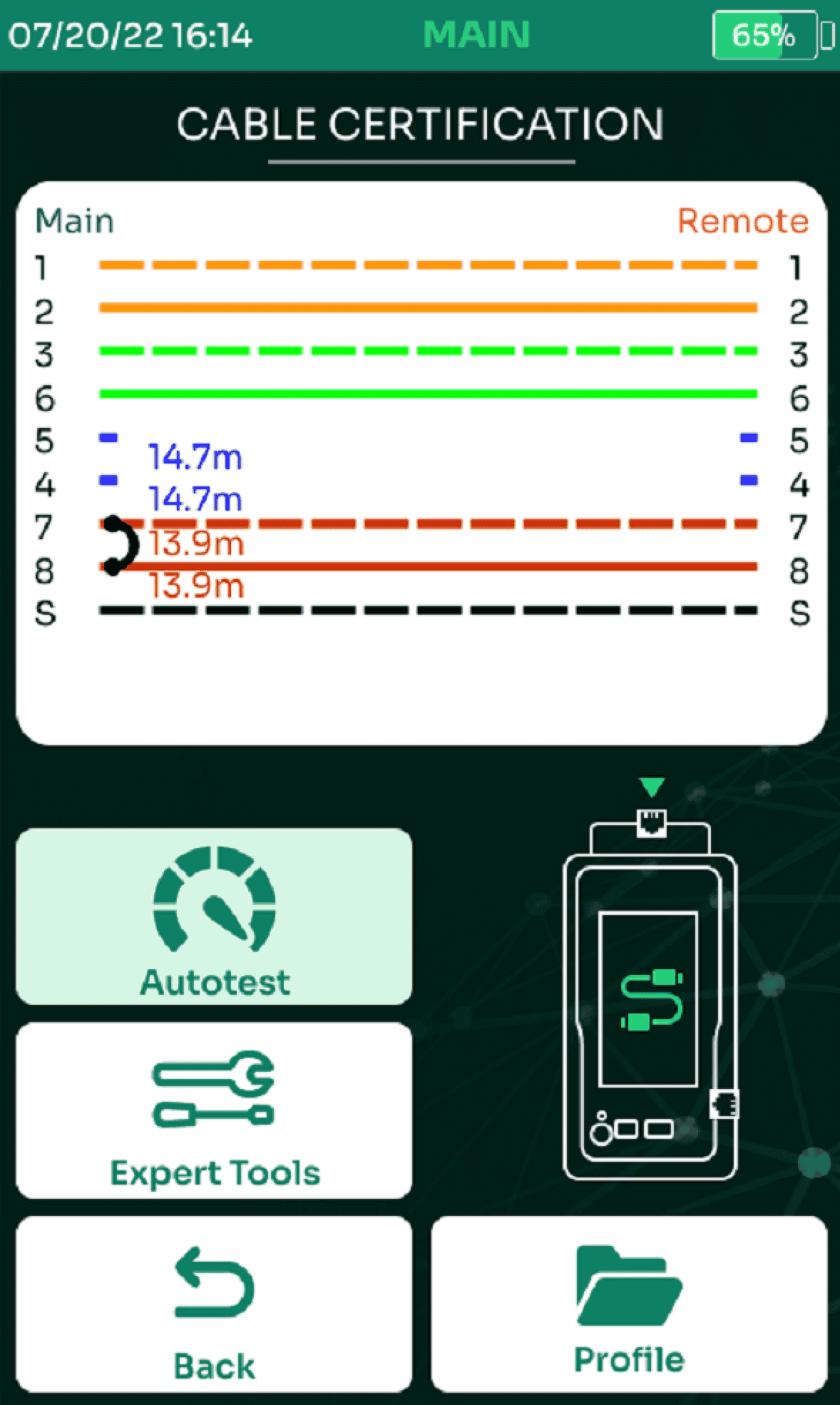
Studies have shown that a large percentage of all cabling faults are related to miswiring. Both main and remote units of TestPro graphically report the end-to-end wiremap instantaneously when a connection is detected. After getting instant view of the wiring fault, the technician can find the location of the fault simply by clicking the wiremap picture. And after resolving the issue, TestPro’s Live Wiremap reporting helps to verify the fix instantly. In addition to 6-seconds CAT6A Autotest, this is another important productivity improvement feature of TestPro.
DC Loop Resistance & Resistance Unbalance
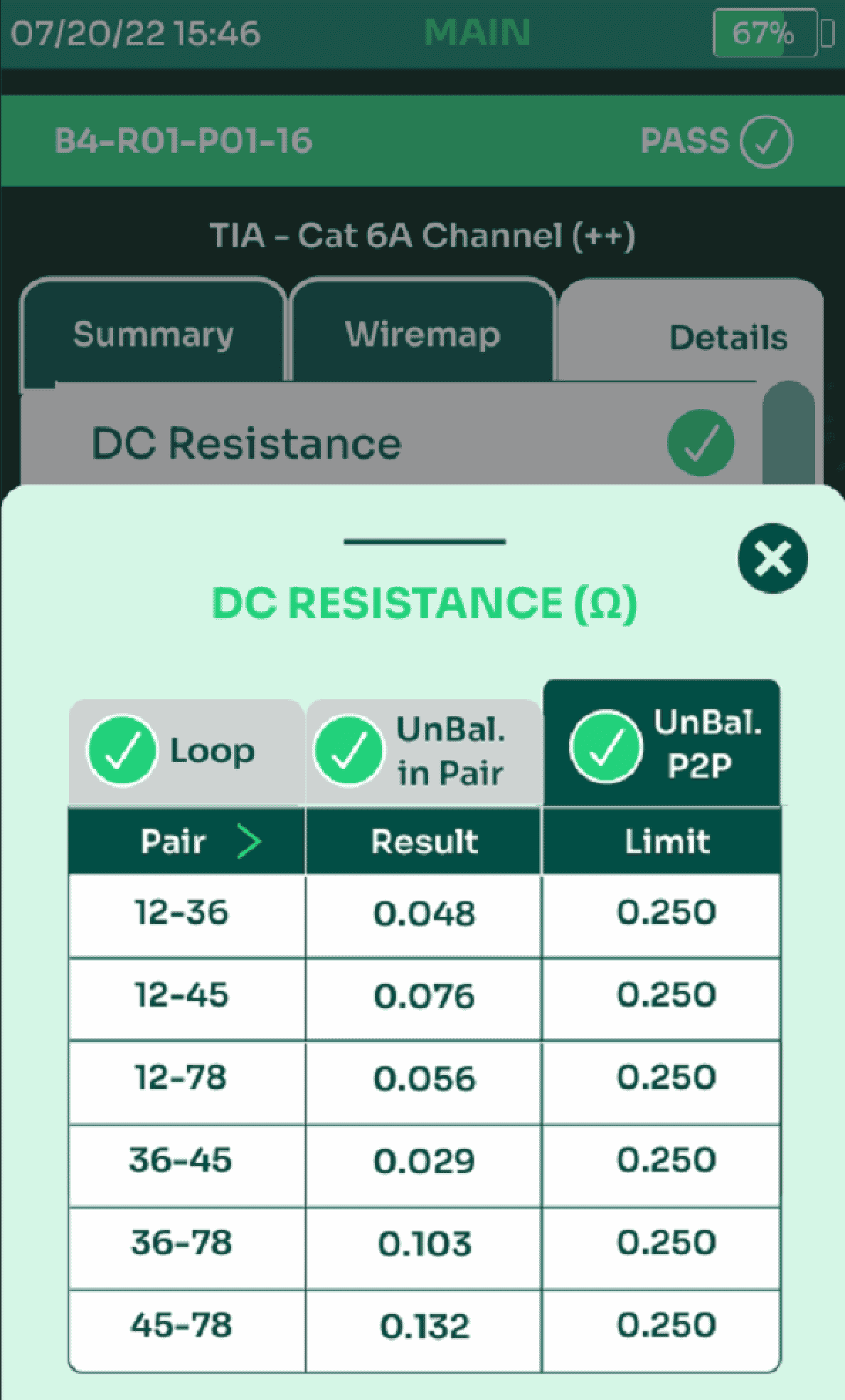
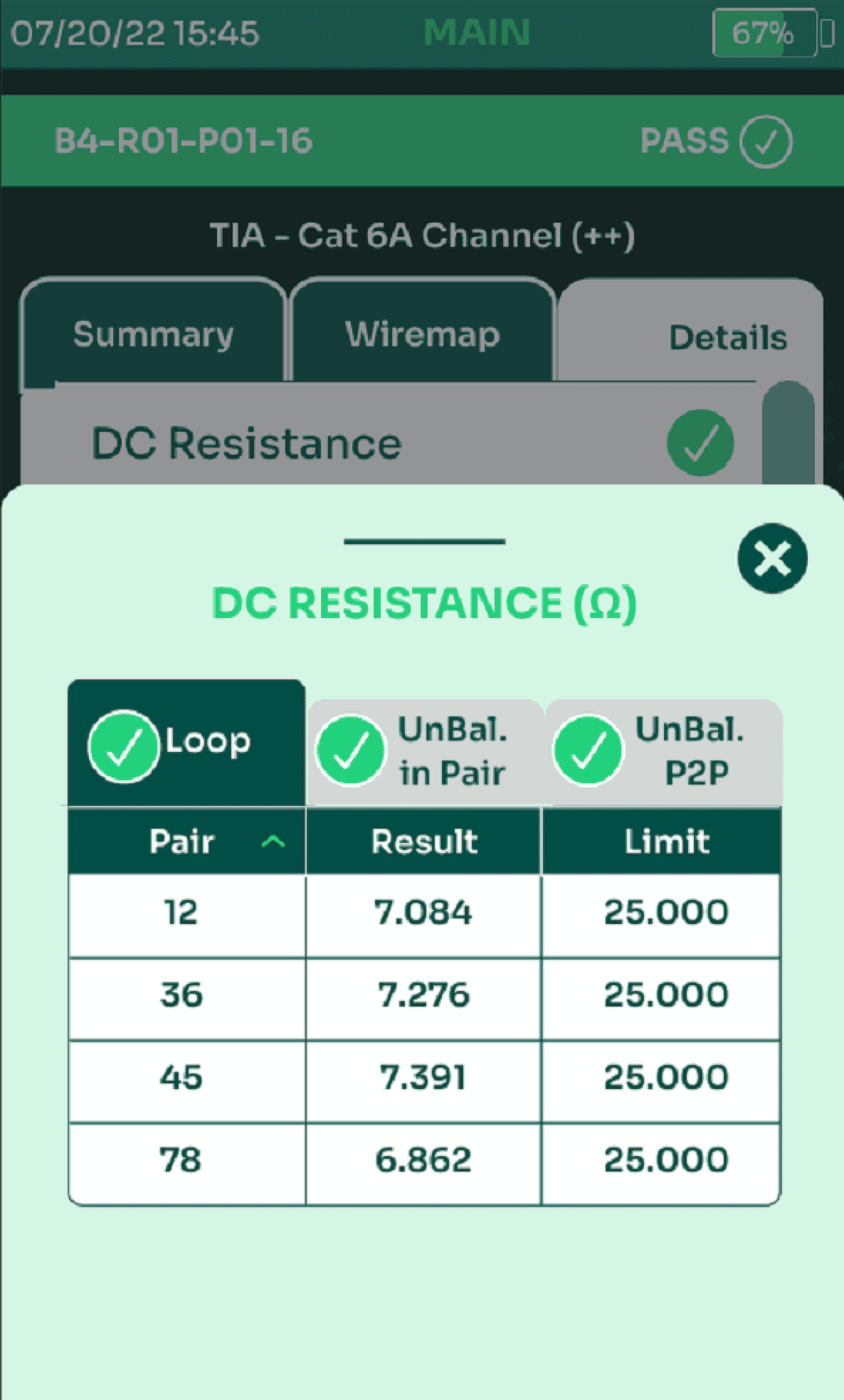
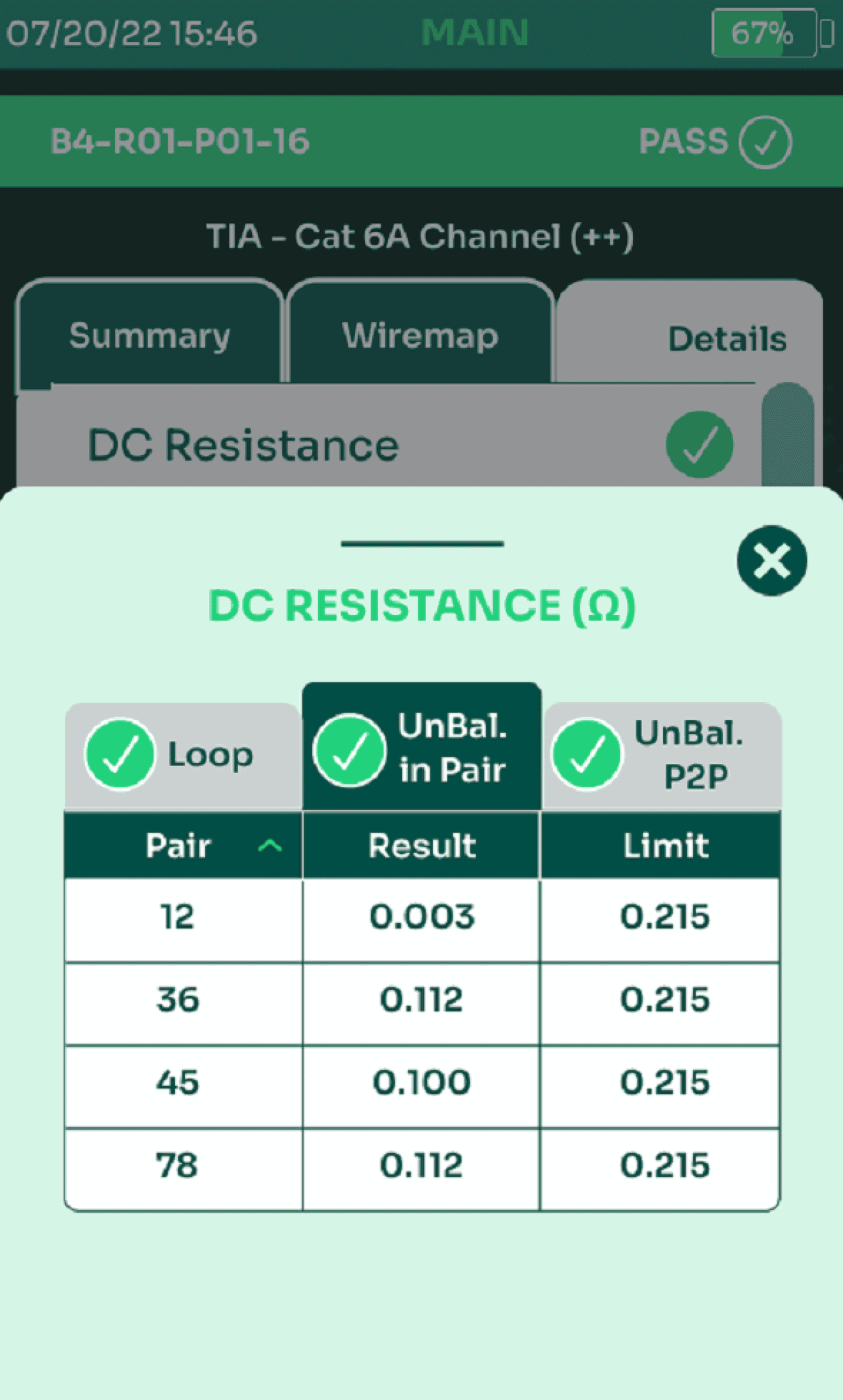
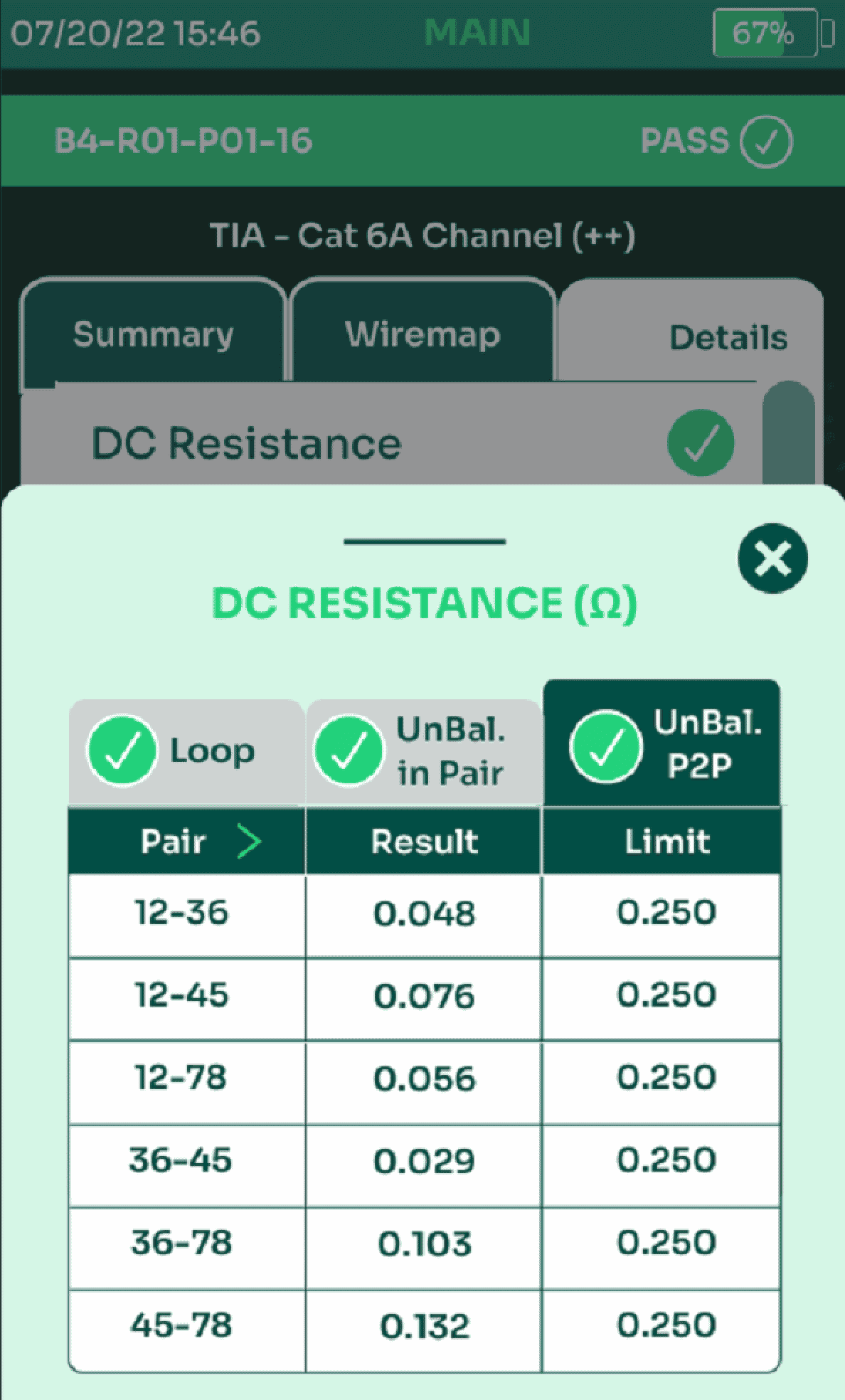
When a cable is used for PoE, it is important to ensure that DC resistance of all wires is closely matched. Differences of resistance between pairs, or between wires within a pair can cause degradation in RF performance, inadequate PoE power delivery, or excessive heating. TestPro’s 6-second autotest includes full characterization of DC resistance parameters, including loop resistance, resistance unbalance in each pair, along with all combinations of pair-to-pair resistance unbalance.
TCL & ELTCTL
While the RF field test parameters mandated by TIA and ISO adequately confirm the cable’s standalone performance, more testing is needed to confirm the immunity of the cable in presence of external electromagnetic interference (EMI), aka Noise. EMI is caused by alien crosstalk from adjacent cables, noise from wireless communications systems, or even vehicles driving nearby.
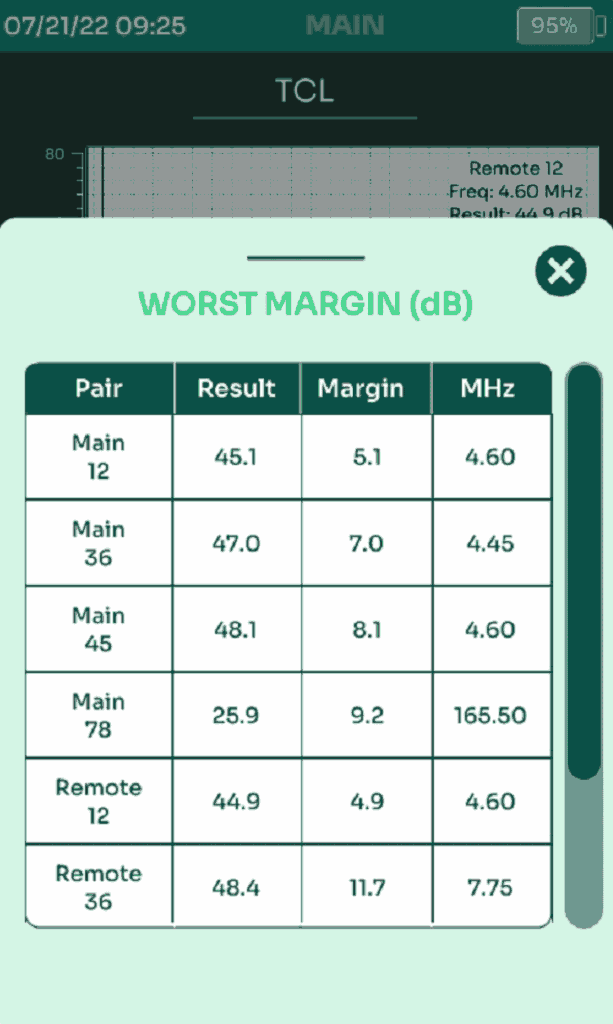
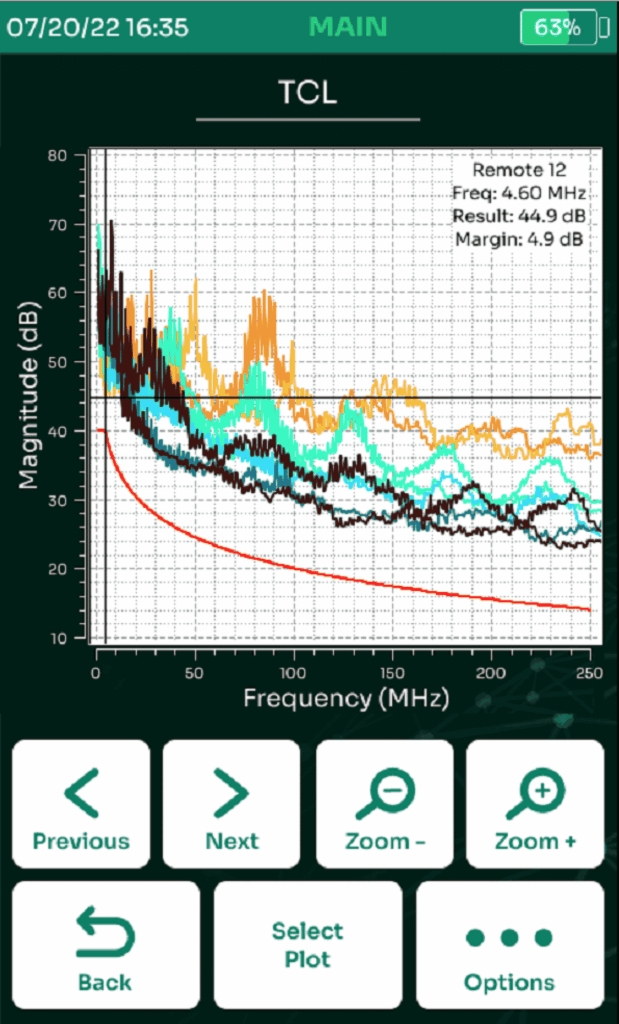
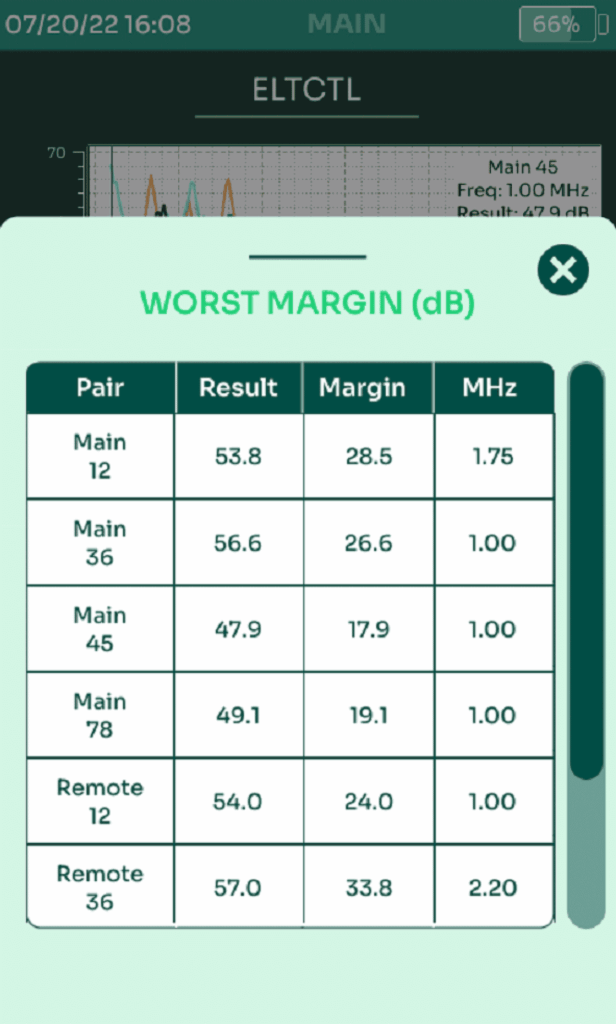
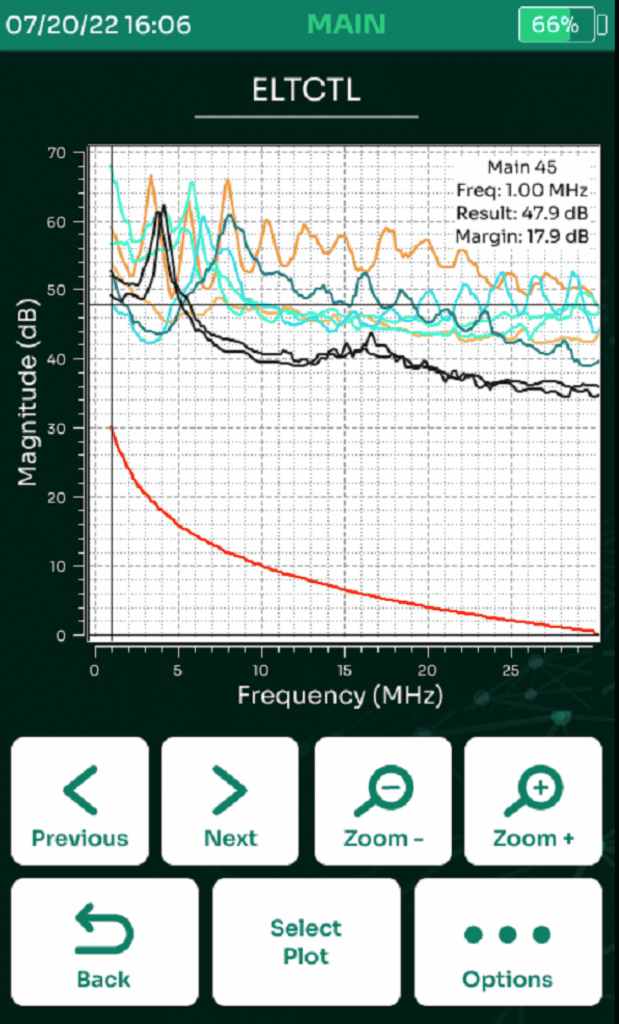
TCL (Transverse Conversion Loss), measured at the near end, is an assessment of how well the wires constituting a cabling pair are matched and is an important parameter to confirm the EMI immunity of the cable. ELTCTL (Equal Level Transverse Conversion Transfer Loss) is the measurement used to evaluate this noise immunity, but measured at the far end and equalized for length.
TestPro measures and reports TCL and ELTCTL from both ends in every Autotest without requiring additional measurement time. That means, a 6-second CAT6A Autotest includes TCL measurement. By default, TCL is reported as an information-only measurement and not included in pass/fail result.
Lange Kabel Test
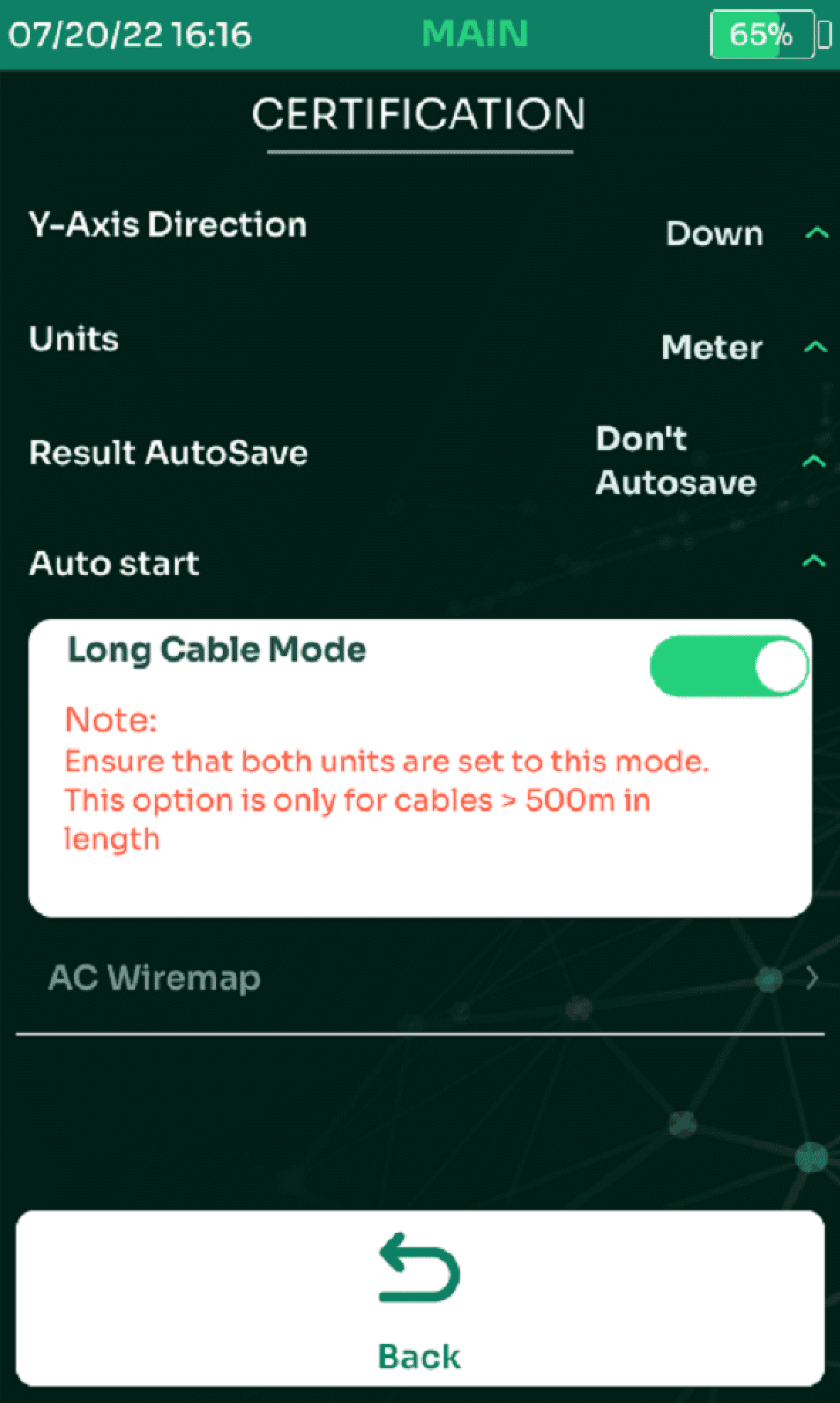
Industrial networks and some cross campus links use longer cable lengths than the 100m specifications from TIA or ISO. IEEE 802.3cg specifies parameters for long-length single-pair cables. TestPro is the only cable certifier that has the capability to test cables as long as 1,000 m (1 km). For long cables, the RF performance at lower frequencies is very important. TestPro measures RF parameters down to 100 kHz or 0.1 MHz (as compared with 1 MHz for other cable certifiers). 4-pair cables may also be tested at lengths up to at least 1000m using Long Cable Test setting combined with custom test limits.
RL Locator
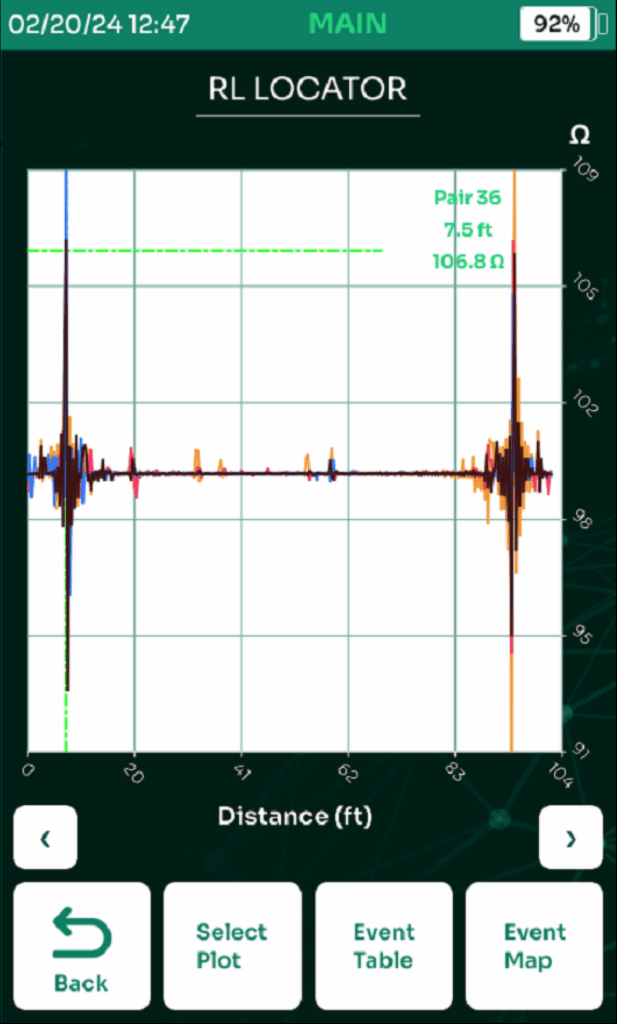
An ideal network cable pair has 100 ohm impedance along the entire length. In reality, the impedance varies from 100 ohm in different amounts along the cabling link, the deviation being more significant at the positions of connectors. RL locator plot provides a view of the cable along its length. The locations of peaks in the RL Locator are representative of spots with poor impedance control. When a cable fails autotest, the RL locator helps determine the location along the cabling link that is most likely to have caused failure.
This is a great aid for trouble-shooting. With accurate location information of the problem spot, a technician can focus on fixing the issue on that part of the cable, whether it is the result of:
- Impedance mismatch in components (non-compliant or damaged cable, inadequate cabling installation practices, too much tension on cables, kinks or non-compliant connecting hardware/patch cords
- Improper termination practices (pair twist not maintained, excessive cable sheath removal)
- Incorrect or substandard components (all cable & connecting hardware must be of same category/class/quality)
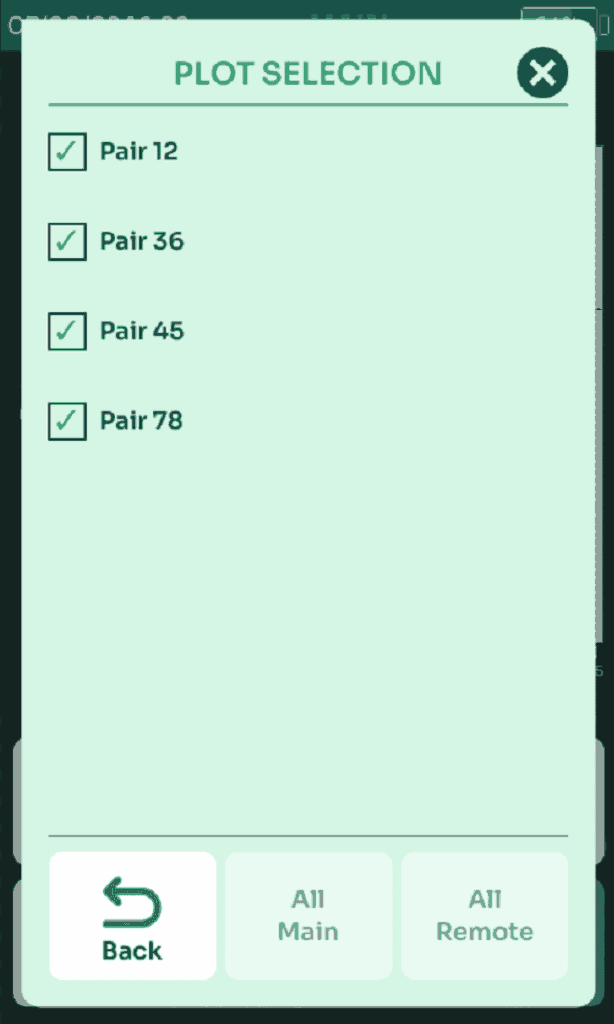
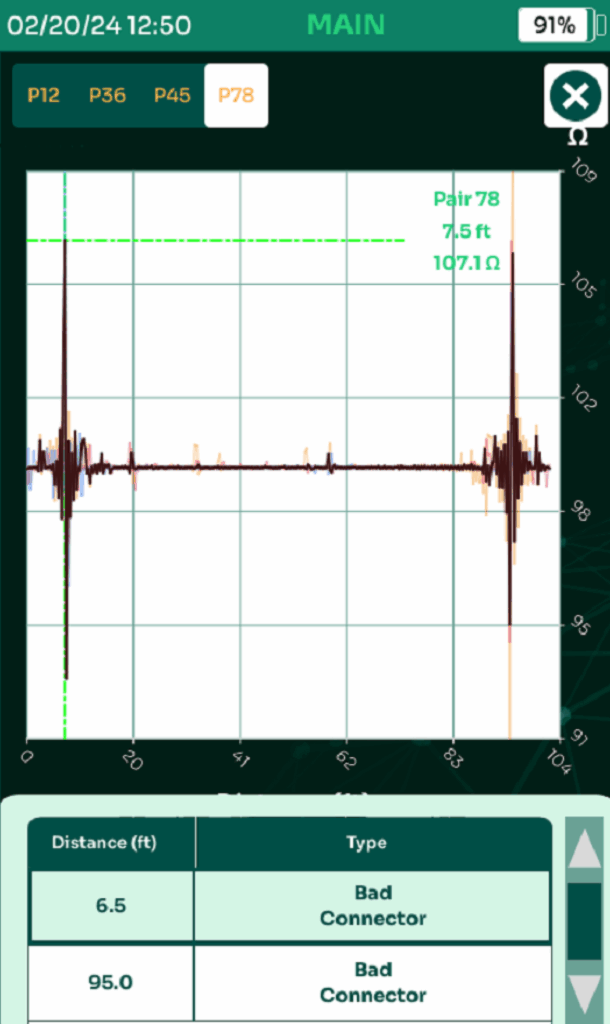
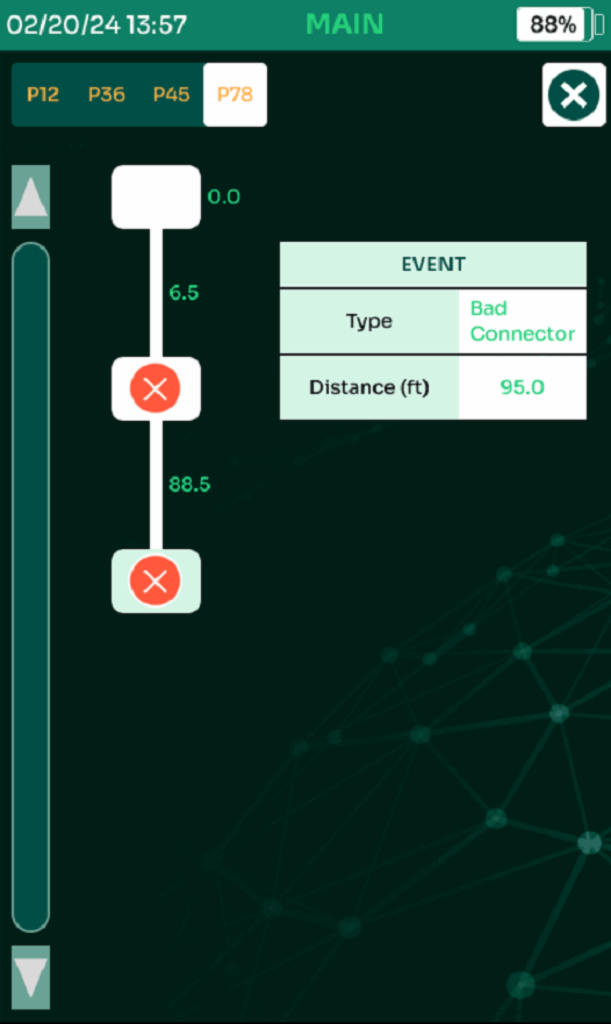
The RL Locator now also includes touch & drag Zoom along with Event Table and Event Map functions which allow the technician to select a pair and pinpoint the events on that pair, such as bad connectors (related to termination or connector with quality issue), shorts and opens.
NEXT Locator
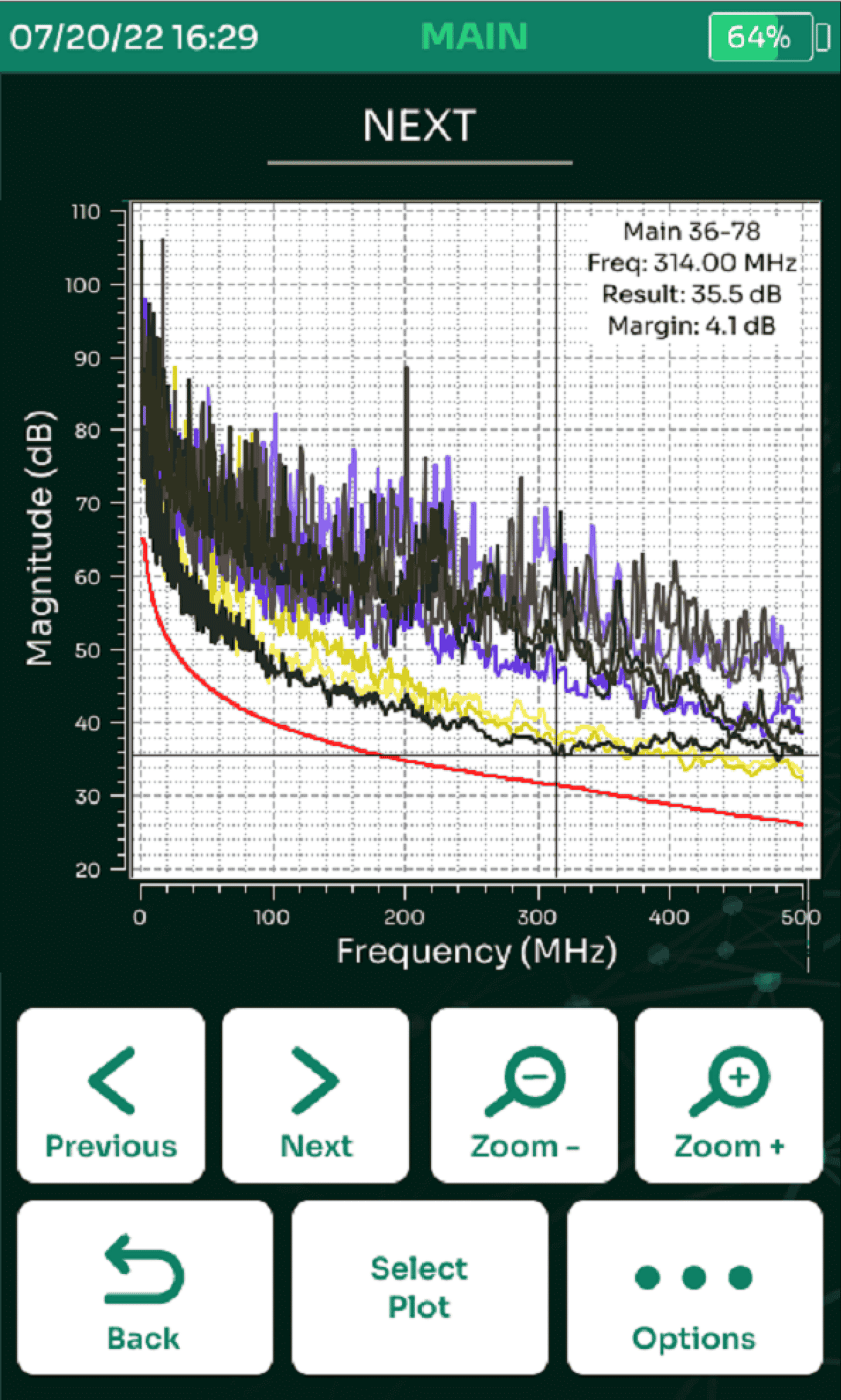
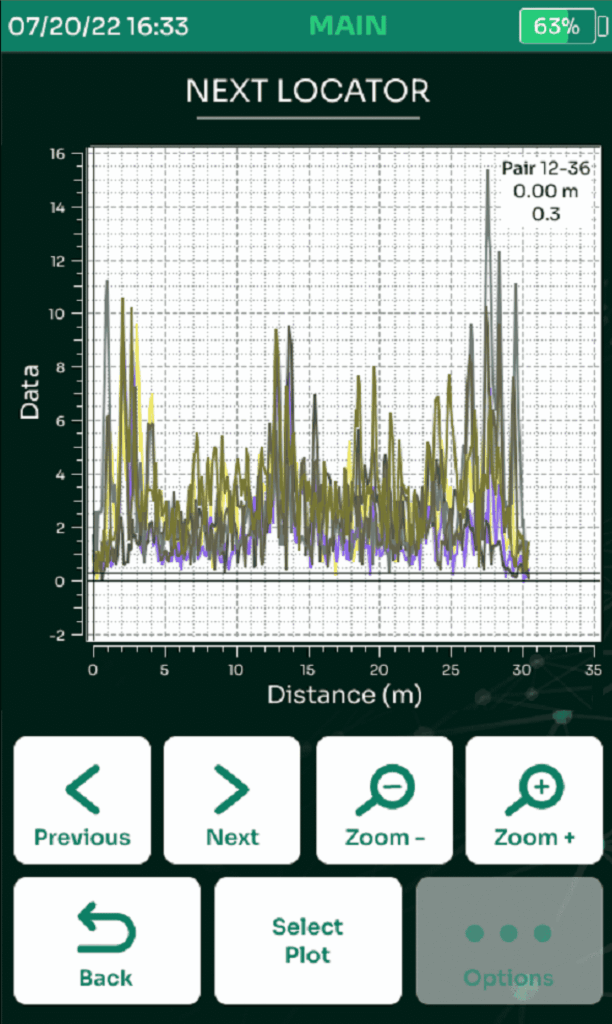
NEXT failures can be difficult to diagnose. They can be due to faulty cable, faulty connectors, or poor installation practices. The NEXT locator plot provides a view of NEXT in the cable along its length. When a cable fails autotest, the NEXT locator helps determine the location along the cabling link that is most likely to have caused failure. Typically, you will see the highest NEXT at a connection point, but sometimes if you see NEXT is high all along the cable, that is the culprit.
With NEXT Locator, you can quickly pinpoint the exact point of failure along the cabling system and take corrective action. Some common causes of failure include improper termination, split pairs, mixed categories of components/cable, excessive force on cable during installation and too much compression on cable bundles by cable ties or supports. Visual inspection at the point indicated in the NEXT Locator TDR trace will determine corrective action.
Shield Locator
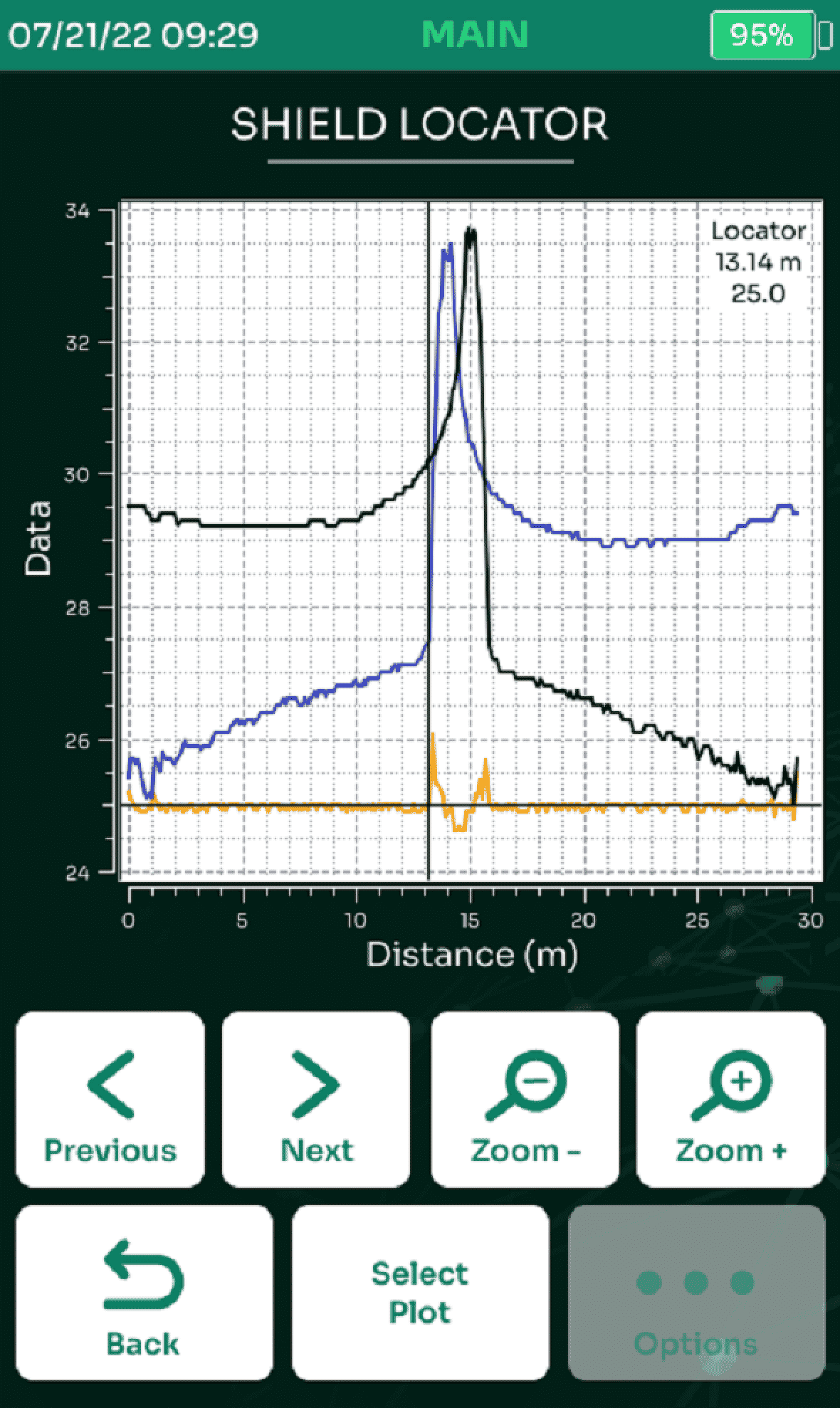
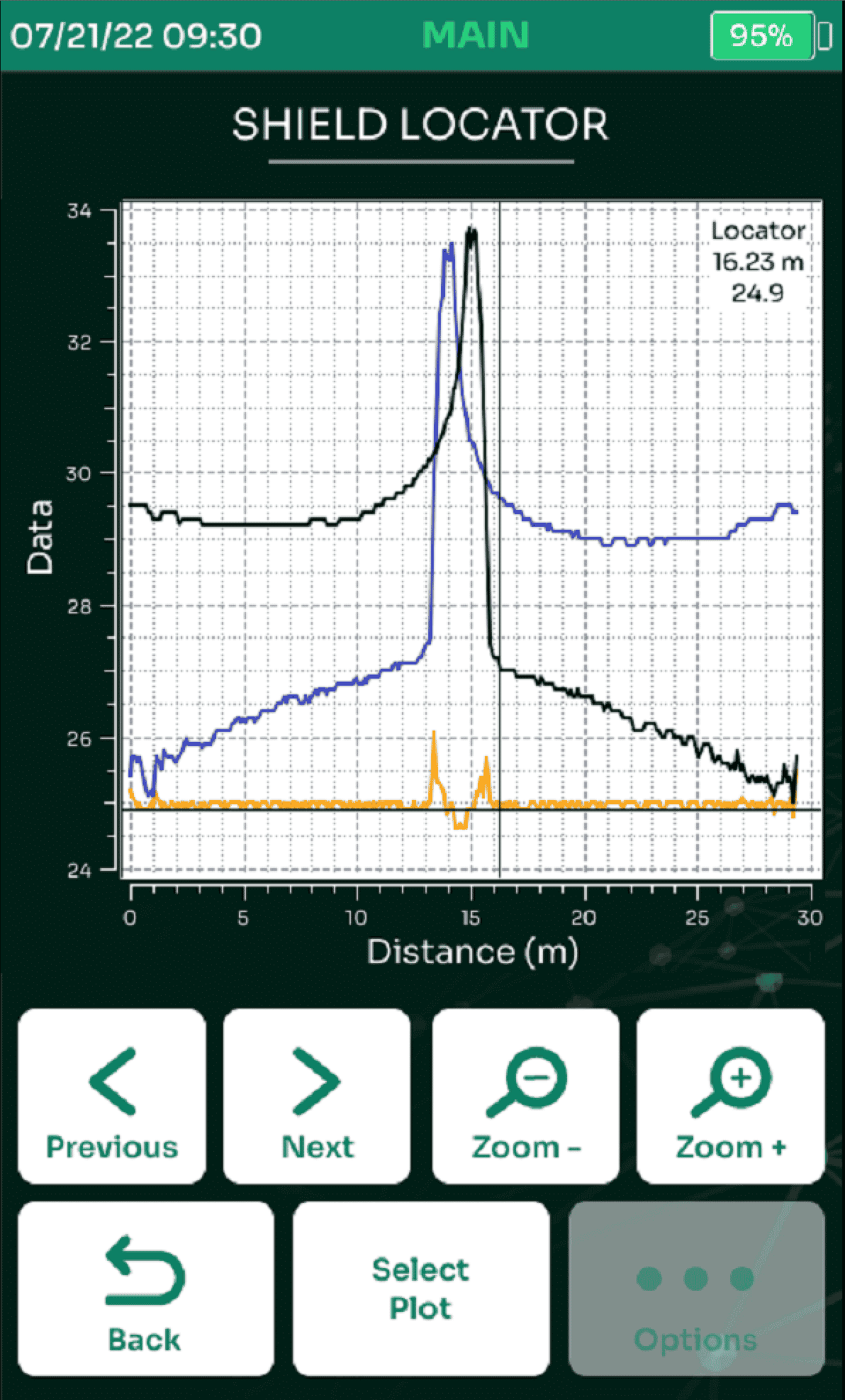
Unique to AEM field testers, is the ability to get a TDR trace of shield continuity. For shielded cable applications, being able to find the distance to where the shield continuity has been compromised is critical. Combination of impulse TDR and step TDR traces make it easy to find even small problems with the shield. Testers which only measure basic shield continuity will not detect a compromised shield issue like a “partial discontinuity” (a small part of the shield is still maintaining contact, but it has been otherwise damaged/compromised/not fully connected).
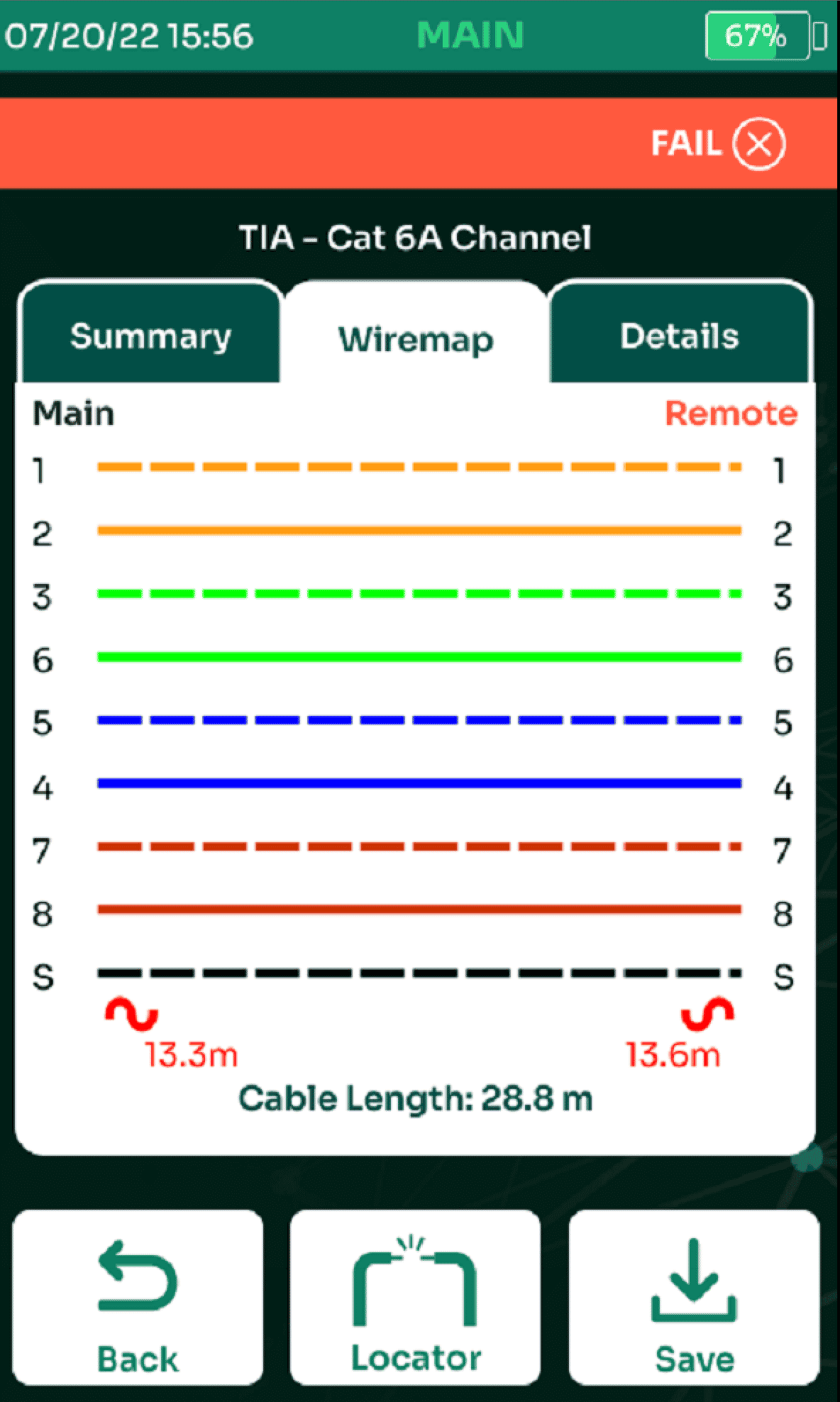
Shield Discontinuity alert will be indicated on Wiremap after the test, with an indication of distance to the event, the user can then go to the Shield Locator tool to view the TDR trace of the shield, with a clear indication of the location of the discontinuity.
MPTL (Modular Plug Terminated Link)
In the traditional enterprise network installation, the primary objective was to provide cabling channel from the computers in the work-area to the telecom room. This is almost always achieved with:
- Permanent link consisting of wall-mount jacks at one end of the cabling and patch panel at the other
- Patch-cords to connect networking end-points to jacks/panels at both ends, wherein the entire cabling including the patch-cords (but not the plugs at the end-point connections) is referred to as channel.
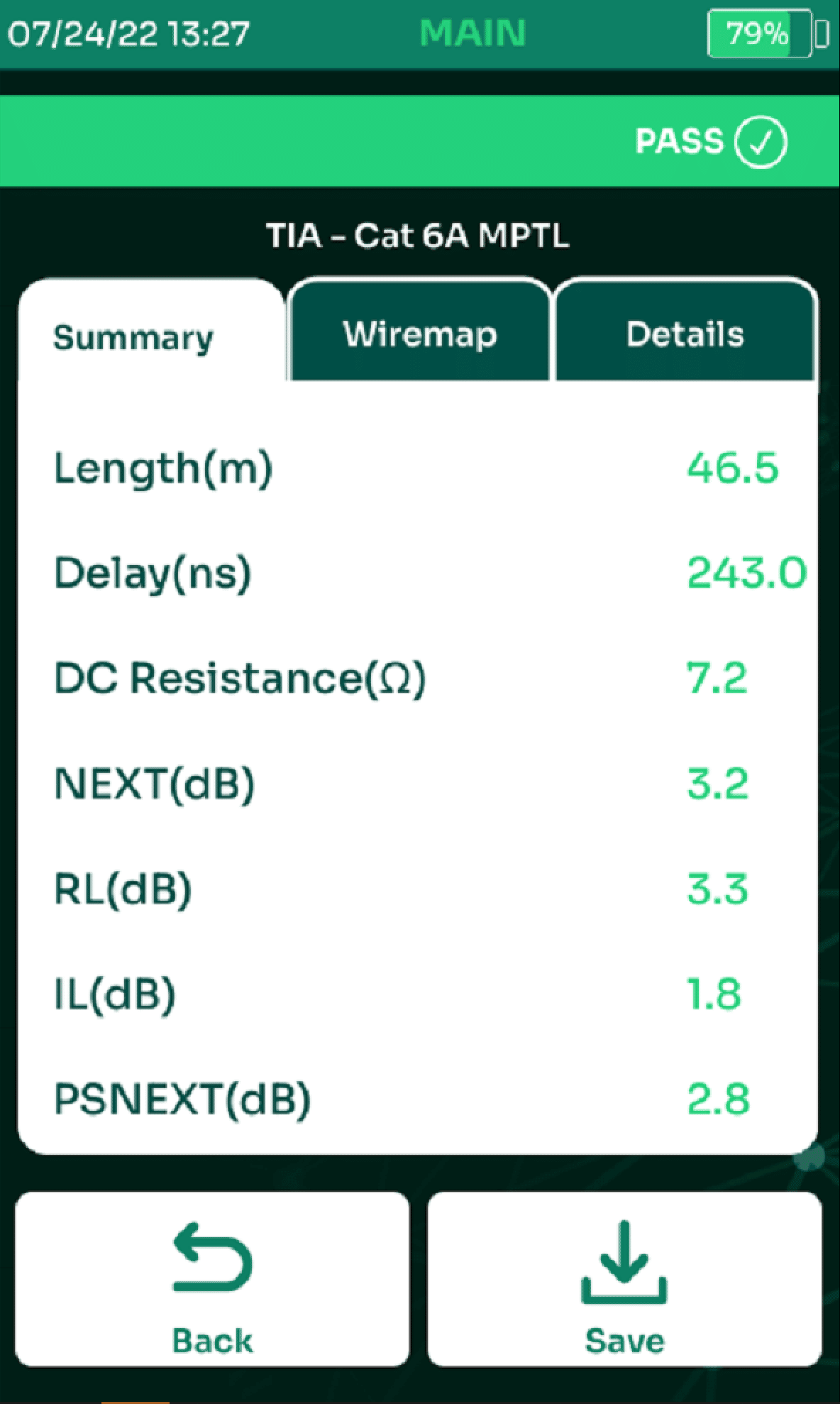
Increasingly, the networking end-points are devices other than computers, and connecting them calls for adaptation in cabling topology. Devices such as IP security cameras have a built-in jack for network connection. In order to cater to installation of these devices, a newer topology is accepted by the standardization bodies. This topology, Modular Plug Terminated Link (“MPTL”) is a variation of the permanent link where one of the ends is terminated into a plug.
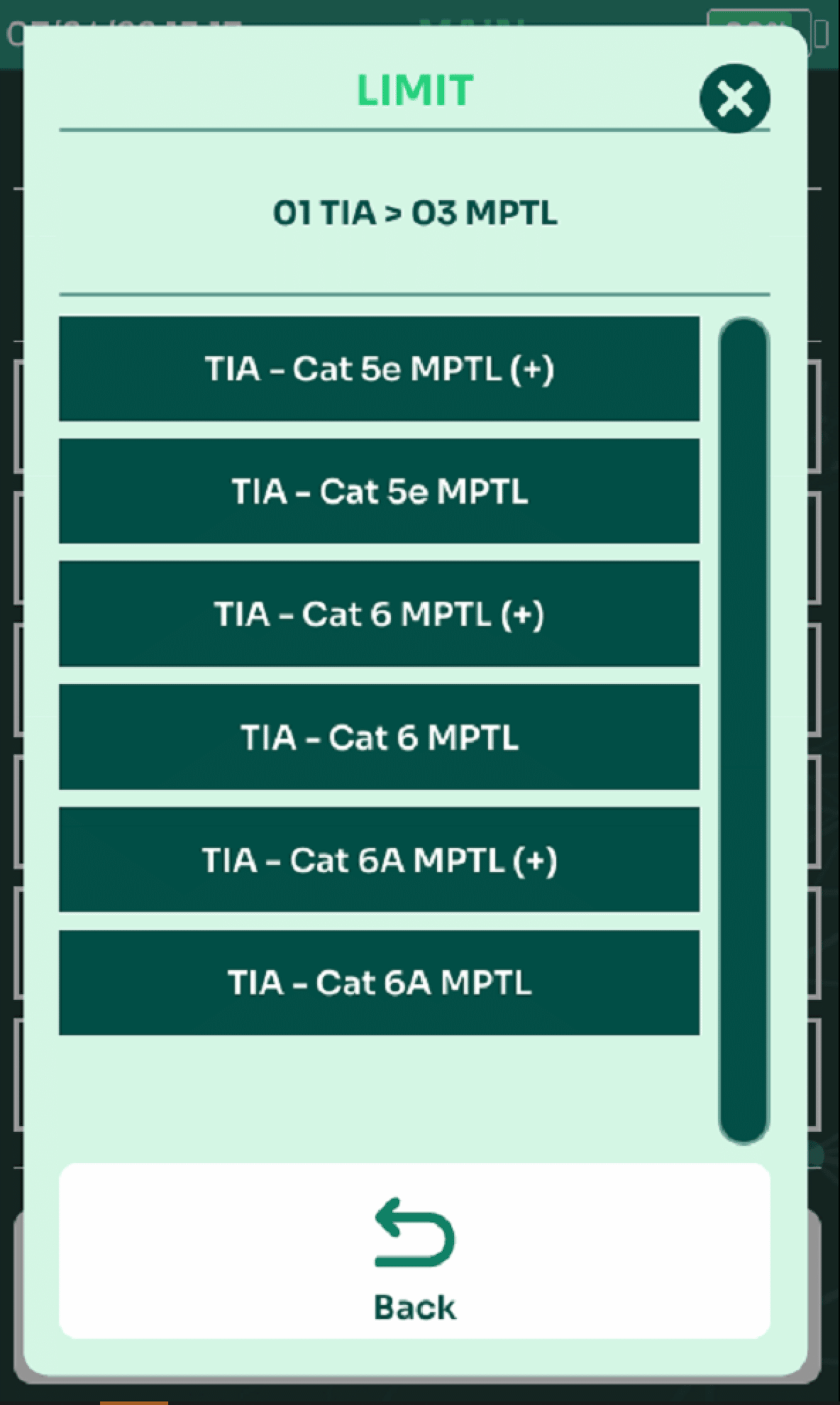
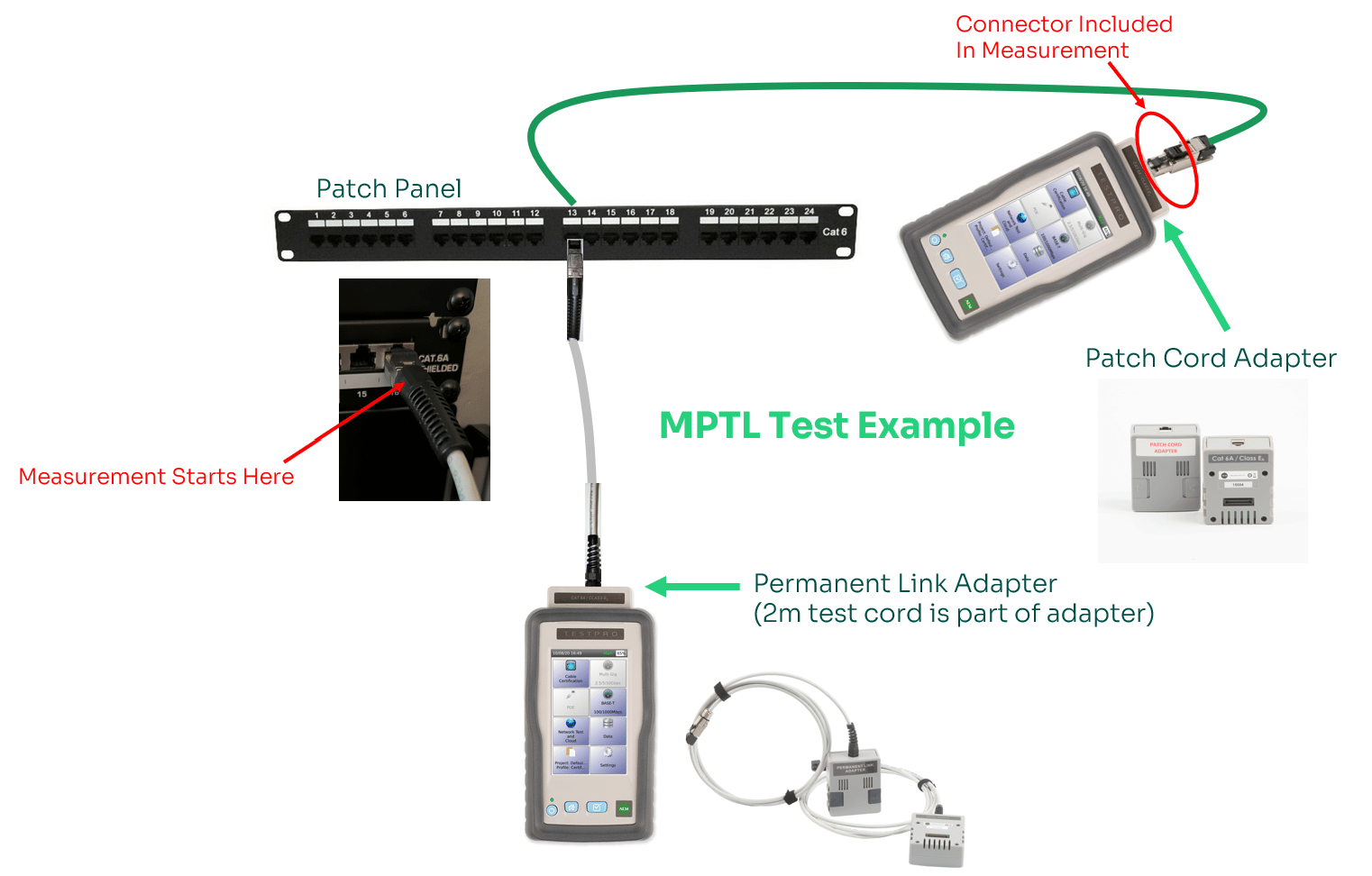
Resist the urge to test MPTL cabling using Channel Adapters at the remote end, as Channel adapters do not characterize the modular plug, which defeats the purpose of testing this type of cabling. The only way an MPTL can be properly and accurately tested is with an adapter that uses the specific centered socket required for certification of plugs in the specific cabling category. For this reason, you will need to use a Patch Cord adapter rather than a Channel adapter and use MPTL test limit settings.
Note: Patch Cord Adapters MUST be the same category as the cabling system under test. Optional adapters needed: AD-5E-PCORD, AD-6A-PCORD and AD-6-PCORD adapter pairs.
Glasvezel Certificatie en OTDR
Glasvezel Certificatie Autotest
TestPro’s fiber optic test option provides Tier-1 certification according to industry standards, as well as customizable limits for both Multimode and Singlemode Fiber Optic premises cabling. Additionally, these adapters include an integrated VFL to provide a quick indication of a break in the fiber, as well as an integrated copper connection port for measuring electrical voltage and DC Loop Resistance for hybrid powered fiber applications in support of smart building initiatives. All TestPro Enhanced Kits include a Fiber Inspection Scope (TestPro-K11E, TestPro-K51E, TestPro-K61E).
New Simplex (Single Fiber) autotest functionality allows users to save Optical Loss Test on single strand fiber links as well.
For deployments where powered fiber is being used, TestPro’s fiber adapter provides not only certification of the fiber optic cable but also provides you with the ability measure resistance or voltage on the copper pair of a hybrid powered fiber optic cable. The resistance measurement validates the integrity of the copper pair after installation. Voltage measurement validates the electrical voltage present for powering remote devices, such as a camera, Wireless Access Points or even a PoE extender that is supplying PoE to end devices. Having this capability is a convenience for the technician to have everything needed for testing at their fingertips. Combine that with TestPro’s ability to measure actual PoE load (requires AD-NET-CABLE adapter) and you have a powerful solution with a unique set of capabilities that will allow you to verify or troubleshoot across various points in the network typology.
Hybrid Powered Fiber
For deployments where powered fiber is being used, NSA’s fiber adapter provides not only Optical Loss Testing of the fiber optic cable but also provides you with the ability to measure/validate electrical voltage on the adjacent copper wire in this hybrid cable type. This allows you to measure the electrical input voltage going into a remote device or PoE extender that is supplying PoE to end devices, and is a convenience for the technician to have everything needed for testing at their fingertips. Combine that with NSA’s ability to measure actual PoE load and you have a powerful solution with a unique set of capabilities that will allow you to verify or troubleshoot across various points in the network topology.
OTDR
AEM’s OTDR test adapters provide additional troubleshooting functionality along with Tier-2 certification capability when combined with TestPro Optical Loss Test Set. The OTDR gives technicians in the field the ability to easily pinpoint the location of broken fiber or other loss events causing an optical loss test to fail.
OTDR Test Adapters can be added to Any TestPro kit and are available in Multimode and Singlemode versions. Noted below are the adapters and associated model numbers.
Test Adapter Kits (single test adapter, see TestPro Kits and Accessories page for details of what is included)
AD-OTDR-U-1310_1625 – Singlemode wavelengths 1310/1625nm
AD-OTDR-MM – Multimode wavelengths 850/1300nm
AD-OTDR-U-1310_1550 – Singlemode wavelengths 1310/1550nm
Fiber End Face Inspectie
Dirty connectors are one the major problems in fiber optics, causing high connector losses and reflectance. The Fiber Inspection feature of TestPro allows users to check the fiber connectors for contaminants before testing and installation. TestPro has built-in USB Video Class (UVC) drivers than can support any USB Fiber Inspection Scope or Fiber Microscope that uses the UVC driver. Below are examples of clean and dirty end faces taken with this function.
Geavanceerde Multifunctie mogelijkheden
Multi-Gig Link Speed Qualificatie
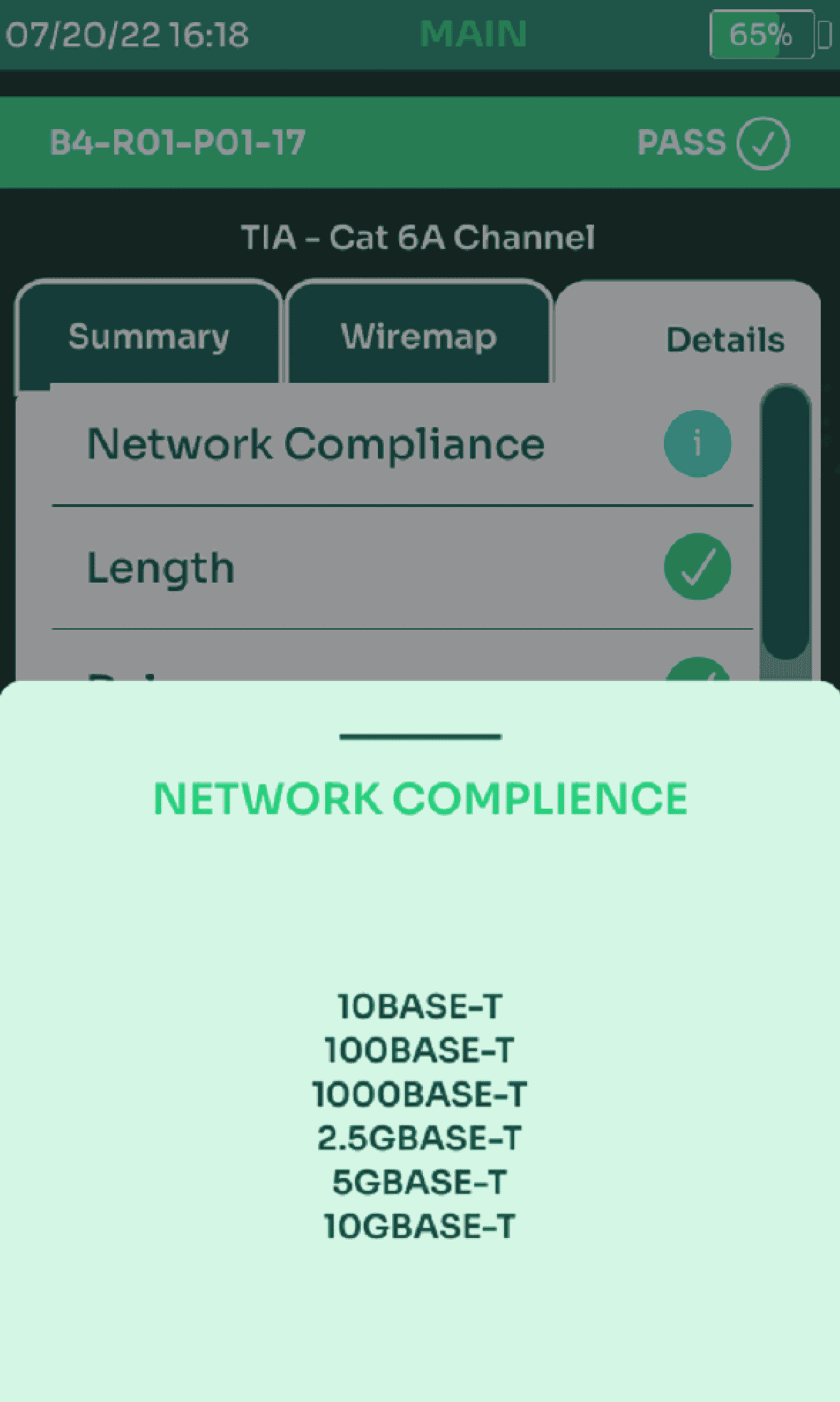
TestPro validates a cabling link for high performance Ethernet standards including 1 / 2.5 / 5 / 10GBASE-T. End-to-end Signal to Noise Ratio (SNR) measurement provides a quick and objective assessment of link performance under network load condition. The Autotest feature of the TestPro is the easiest way to ensure that a cabling link will the desired network rate.
Wireless access points (APs) are one of today’s most broadly deployed IoT devices and 802.11ac Wave 2 wireless APs require 2.5 and 5 GigE backbone speeds to run at maximum performance. Additionally, these devices can be PoE powered and by the nature of the link speed, require all four pair to be terminated. TestPro can certify the cabling infrastructure in accordance with TIA standards, verify link speed in accordance with IEEE 8023.bz specific to 1 / 2.5 / 5 / 10GigE, and verify loaded PoE++ in accordance with IEEE 802.3bt to 90W, as well as the lower power levels for IEEE 802.3at/af and UPoE.
Power over Ethernet (PoE)
Both TestPro and Network Service Assistant (NSA) provide a comprehensive test function for verifying PoE deployments up to 90W. UPoE and all PoE standards are supported, which include 802.3af/at/bt. The PoE source is tested with actual load connection. TestPro and NSA offer the unique ability to test internal and external load test over a sustained time period to validate the maximum power a PoE link can support. TestPro and NSA will also check that the cable installation meets the required power to turn on a PoE devices.
In addition to operational tests on PoE, the tester enables characterization of cabling links for DC Resistance Unbalance parameters in accordance with the latest TIA 1152A standard for certification testing. This can be done as a one-off test, or included in a cable certification with TestPro, or a Qualification+ / Certi-Lite testing with NSA. For TestPro, the complete Autotest including all standards certification test parameters in addition to added parameters is still 6 seconds for CAT6A!
When performing a PoE test, a remote tester is not needed as you are testing directly into the switch. In this case, you may convert your TestPro Remote into a Main under Setting/Device Type and deploy each tester individually to perform these tests.
- PSE detection
- Voltage: Voltage drawn by the PD
- PSE Type: 1-2, 2, 3-4, and 4 –different types have different allocated power
- PD Class: 0-8 –different classes have different allocated power
- PoE Cable Pairs: Cable pairs used to transmit electrical power
- Allocated Power: Power allocated for the PD
- Real Power: Power when internal or external load is used
Internal and External Load Tests:
- Voltage
- Current
- Real Power: The actual power available at the endpoint when a device draws power (load) through the PoE circuit. This can be measured using the tester’s internal load or using an external load.
Ethernet SNR en PoE PassThru Test
With the addition of the new AD-NET-PASSTHRU adapter, users can enhance the Ethernet and PoE testing and troubleshooting capabilities of TestPro or NSA.
This unique test adapter allows users to connect their TestPro or NSA in-line between the switch and the end device, such as a PoE camera, and test while the end device is in use.
The testing provides details on connected speed up to 1Gbps and SNR (Signal-To-Noise Ratio) on both sides of the connection as well as the power draw of the connected PoE device. The information may be examined in real time and saved. The test can also be run as a log capture to help troubleshoot or test a link under load for extended periods of time, and the log can be retrieved using TestDataPro test results management software.
Test parameters include:
- Negotiated Connection Speed
- Tx speed during activity
- PoE Voltage
- PoE Current
- PoE Power
- SNR
Test Adapter (single adapter)
- AD-NET-PASSTHRU
Network Connectivity Testing
- Useful for moves/adds/changes/troubleshooting, TestPro will connect to a live network either through the built-in 10/100/1000 or through the AD-NETCABLE Adapter (optional for CV100-K11/K50/K51 models, included with CV100-K60/K61 models) and connecting to the Multi-gig network interface. Users can also connect via wireless using an optional Edimax WiFi USB adapter (EW-7822ULC). Once TestPro is connected, the auto-discovery feature displays connected devices on the network. Ping any other device on the local network or the internet to determine connectivity and latency.
- See switch detail including Port/VLAN, switch name, make/model, port capabilities and MAC/IPv4/IPv6 and VLAN usage detail (wired Ethernet only)
- Display list of IP & MAC addresses for connected devices. Useful for identify devices, including unknown devices attached to network.
- Select any IP address to view that device details, MAC address, and more.
- View Local Area Network details such as Gateway, Subnet Mask, DHCP Server.
- Use Ping to verify point-to-point connectivity or out to the Internet by selecting pre-defined or custom website URLs and see latency details.
- Traceroute is useful in determining if internet connection latency is within the local network or beyond.
- Network Autotest includes the network discovery, connected devices, network map, ping and LAN speed.
- WiFi SSID/RSSI discovery, Signal Strength Test with options for Auto Connect, WiFi Handoff enable/disable with editable RSSI threshold for handoff provides the ability to find weak spots in coverage and confirm handoff behavior throughout the coverage area.
Note: The Edimax WiFi USB adapter EW-7822ULC is regional specific and should be purchased.
Switch Detail
Switch detail support for both CDP and LLDP, and gives you immediate detail on the switch you have directly connected to from a given jack location. This provides a quick understanding of proper connectivity and configuration.
- Switch name, make/model, connected port and VLAN allows the technician to quickly ascertain that the link is connected to the correct switch and/or port, especially useful when troubleshooting connectivity issues such as inability to reach a resource on the network or lack of connection to the internet.
- Port capabilities indication is useful to understand if connectivity problems you may be troubleshooting are due to an unsupported link speed.
- Additional information from the Switch Detail test includes IPv4/IPv6/MAC address, device type, auto negotiation status and duplex mode.
Wireless Network Connectivity Testing
TestPro’s auto-discovery will display all detected SSIDs and their associated RSSI (received power level) and Channel. This is useful in determining if the WiFi network to which a customer is trying to connect has sufficient signal to a specific location.
ANY model of TestPro supports this feature! Both Main and Remote units can test the WiFi Network, simply plug in a USB Wi-Fi adapter, see details below.
- Determine WiFi “dead zones” by connecting to any SSID using the appropriate credentials and checking the RSSI in various locations using the Signal Strength tool
- Other extremely useful tools include discovery of connected IP/MAC addresses, ping, traceroute, TCP connect and traffic generation (main)/traffic monitor (remote)
- Autotest can be run and includes link connection speed, discovered addresses, ping, device details (IP address, DNS, DHCP, Subnet, default Gateway) and WiFi details (SSIDs/Channels/RSSI). Autotest can be saved and uploaded to TestDataPro results management software to provide PDF reports.
- Note: A USB adapter is required and can be regional-specific. This adapter should be purchased. Recommended adapters are the ASUS USB-AC53 AC1200 Nano USB Dual-Band MU-MimoWireless Adapter or the Edimax EW-7822ULC Wi-Fi USB Dual-Band Mu-MimoWireless Adapter.
Coax
Coax Certificatie Autotest
TestPro supports coax certification for both 50 Ohms and 75 Ohms coaxial cable using our Coax Test Adapters. The Autotest takes no longer than 15 seconds. Both dual-ended and single-ended testing can be performed.
Quickly find:
- Length
- Distance to open (cut coax)
- Distance to short
Test results include:
- Length
- Propagation Delay
- Insertion Loss (IL)
- Return Loss (RL)
Test Limits supported:
- 75 Ohm
- TIA-568-4-D Coax Limits for 1GHz and 3GHz
- SCTE Coax Limits for 1GHz
- 50 Ohm
- 1GHz and 2GHz Test Limits
- IEEE802.3 10Base2 185m Test Limit
Test Adapter Kits (pair of test adapters, see TestPro Kits and Accessories page for details of what is included)
- AD-COAX-TYPE-F for 75 Ohm cable with type F connectors, includes F-BNC between-series adapters
- AD-COAX-TYPE-N for 50 Ohm cable with type N connectors
Test Results Management
TestDataPro – PC of Mac
TestDataPro is a PC or Mac based test results management software that comes standard with all models of TestPro and Network Service Assistant. TestDataPro allows users to define projects and categorize test results into logical groupings once uploaded into the database. The database provides the ability to collaborate by viewing in-depth test details from any computer running TestDataPro software, as well as provide .pdf based printed reports. Users can combine multiple Autotests into a single report, such as Copper & Fiber test results, Multi-Gig Ethernet SNR/PoE, and Network Discovery.
Recertification of test results with TestDataPro is easy. The most extensive copper recertification capability in the cable certification industry allows users to recertify cables which were inadvertently tested to the incorrect limit without having to retest. Some common examples of recertification available shown below, many more are available:
- Cat5e or Cat6 recertification to Cat6A
- Cat6A recertification down to Cat6 or Cat5e
- Cat6A recertification to ISO/IEC Class EA
- Cat6A recertification to Cat6A(+) / Cat6A(++) to include the optional test parameters for DC Resistance Unbalance, TCL and ELTCTL. This is unique to AEM because TestPro certification testing includes the optional parameters during the original 6-second autotest, so the data is already included in the test record.
TestDataPro now includes analytics functionality which allows users to take a group of test results and view a graphical report of the selected group of tests and find trends or anomalous results in the various test parameters such as NEXT, IL, RL for copper or optical loss test margins as well as length analysis. The analytics can be filtered as well by Operator, Project, Test Profile for example to drill deeper into the information. Test results which show up in unacceptable range can be examined in detail by simply clicking on the line in question, bringing up all test results in that group and each can be examined in-depth by clicking on Details, allowing the user to scrutinize the information.
Multiple TestDataPro project files can be opened in separate tabs, allowing easier comparison of results between projects and better facilitating copy/paste function when combining test results from multiple projects.
Test results are uploaded into TestDataPro through the following means:
- Direct USB cable connection from TestPro to PC
- USB portable drive file transfer from TestPro to PC
- TestDataPro Cloud upload by tech at remote location then downloaded to PC from the cloud, at main office for example
TestDataPro Cloud
TestDataPro Cloud is a free service that allows users to transfer test results from TestPro and Network Service Assistant to the cloud while on a job site. Users can connect to the network with their tester through a wired or wireless network connection (such as a connection to your cell phone hot spot while on a job site). This allows users to offload test results throughout the project, giving managers visibility into progress being made and facilitates a quick and easy transfer of results off their tester. Once results are in TestDataPro Cloud, users have the online ability to view/print/download individual test results or a single PDF report with all results as well as email the PDF report and/or test files directly from the Cloud.
TestDataPro Cloud now also provides the capability of the following functions which users are familiar with from the PC version:
- Analytics functionality
- Viewing details like measurement plots & RL/NEXT/Shield TDR traces, this provides a more in-depth look at any test result and can also serve as an invaluable tool should a supervisor back at the shop need to assist a technician in the field with analyzing a test failure.
- Creating a logical hierarchical view of test results.
- Export data to .csv format
- Recertification of test results
NOTE: Wireless connection capability requires Edimax EW-7822ULC USB-WiFi adapter